Tides GB
See the next high and low tide, how high they will be, and a graph of each day with every tide's time and height marked. For up to 3 places. The app is free, and the free tide sources need no account or API key.
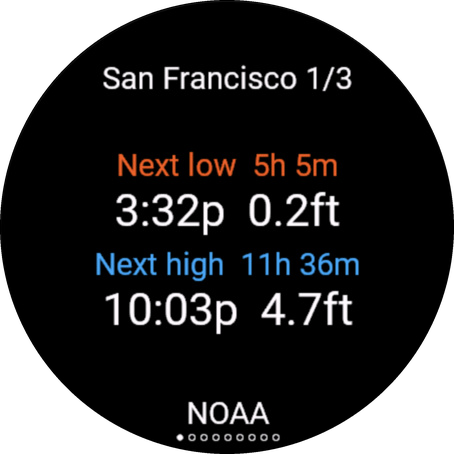
What you see
Press UP or DOWN, or swipe, to go through the pages. The dots at the bottom show where you are.
- Next tides: the next two tides, with how long until each, the time and the height. The place name is at the top, with 2/3 and so on when you have more than one location. At the bottom you see where the tides come from, and how old they are when they are more than an hour old. When the place is in a different time zone from your watch, its zone is shown there too, before the source, for example UTC-5.
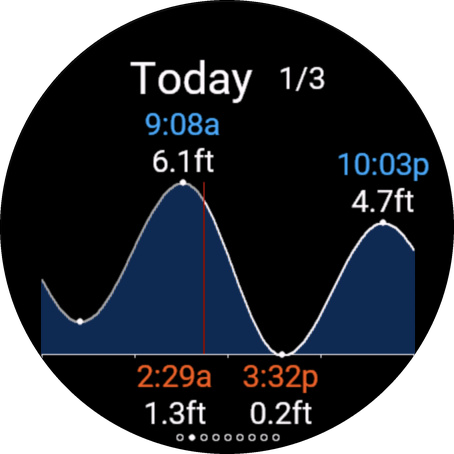
- One graph per day: today first, then the next days, up to 7. Every high and low is marked with its time and height: highs above the curve, lows below it. A vertical line shows the time now.
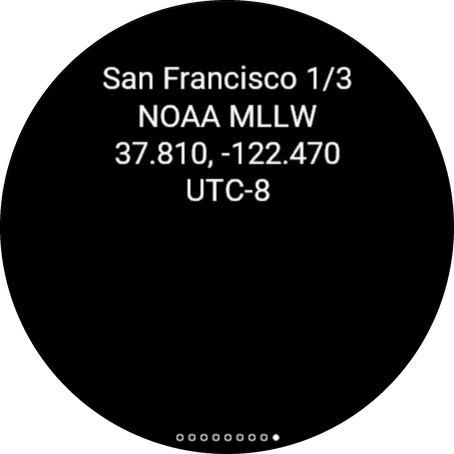
- Info: the tide source and the height reference it uses, the coordinates, the station or tide gauge that was found, which time the app uses, and the last error, if any.
Tide times are shown in the local time of the place, the way tide tables show them. So the tides for Miami show Miami time, even when you are in San Francisco. Prefer your watch's time? See Tide times under Settings.
START or a tap opens the Locations list. Hold MENU to open Settings directly.
The glance
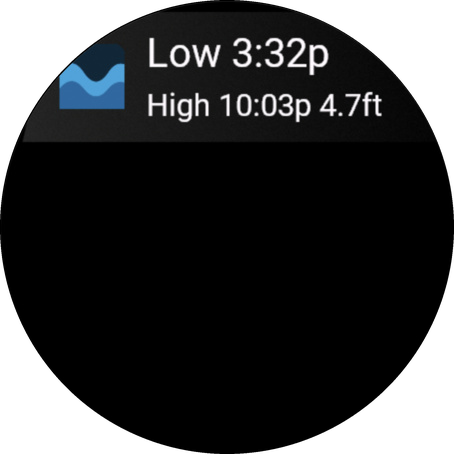
In your glances, Tides GB shows the next tide and the one after, for example High 14:32 1.82m. It shows the location you last chose in the app. The tides are saved on the watch, so the app and the glance keep working without a phone until the saved tides run out.
Set up the app
1. Install the app
Install it from the Connect IQ store, like any other watch app, and let it sync to your watch.
2. Open the app once on your watch
Open Tides GB from your watch's app list. Location 1 follows your watch's GPS, so near the coast you get tides for where you are. Your phone needs to be connected for the first tides. After that, the app keeps updating by itself.
3. Add your places (optional)
You can save up to 3 locations, for example your home beach, your harbour and a holiday spot.
On your phone
- In the Connect IQ app, go to Devices → your watch → My Apps → Tides GB → Settings.
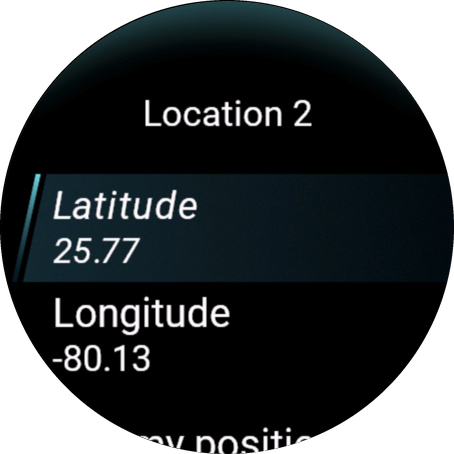
- Under Location 2 (or 3), enter the Latitude and Longitude in decimals, for example 52.3676 and 4.9041. West and south are negative. Need coordinates? Use the Location Lookup tool.
- Open the app on your watch once. A location entered on the phone only starts updating after that.
- Want to check it? After the next sync, open the settings again: Place found shows the place the app found.
On your watch
- Press START and choose a location that says Not set.
- Choose Use my position to save where you are now, or enter the Latitude and Longitude.
Want Location 1 to stay in one place too? Turn off Use GPS location for Location 1 first, then enter its coordinates.
4. Switch between locations
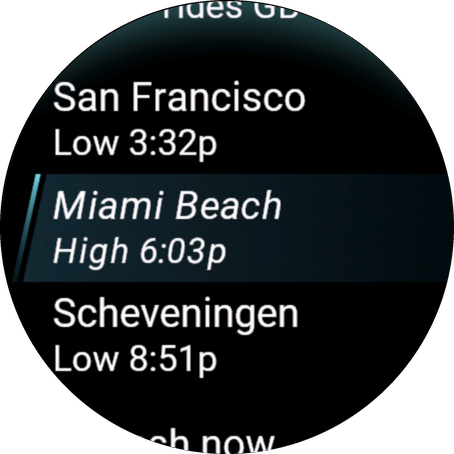
Press START. The Locations list shows each place with its next tide. Choose one to see its tides. The list also has Refresh now and Settings.
Choose a tide source
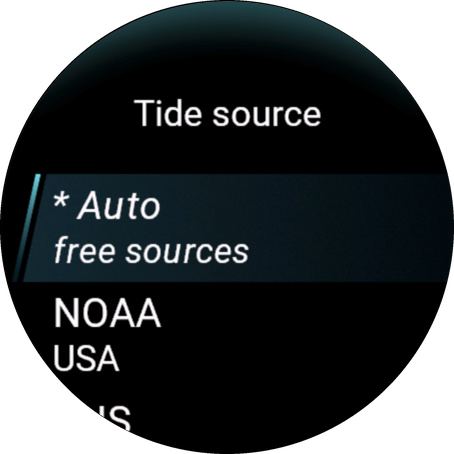
Each location has its own Tide source. It starts on Auto, which is the right choice for most people. To change it, go to Settings → Location 1 (or 2, 3) → Tide source on the watch, or to the same location in the phone settings.
| Source | Where it works | API key | How exact |
|---|---|---|---|
| Auto | Everywhere. Picks a free source for you, see below. | No | As good as the source it picks. The info page shows which one. |
| NOAA | USA | No | Official predictions. |
| CHS | Canada | No | Official predictions. |
| Rijkswaterstaat | Netherlands | No | Official predictions. |
| Calculated | Near a tide gauge. Works offline after a one-time download for each location. | No | Usually within 5 to 10 minutes when the gauge is within a couple of km. Less good further away. |
| Open-Meteo | Worldwide | No | A rough model estimate. Can be an hour or more off, and misses tides in sheltered or enclosed water. |
| TideCheck | Worldwide. Updates only while the app is open: its answers are too big for the background. | Free key, 50 requests a day | Within 1 to 5 minutes of NOAA and CHS at the 4 places I tested. |
| WorldTides | Worldwide | Key, 100 free credits, then paid | Within 1 to 4 minutes of NOAA at the 5 places I tested. |
| Stormglass | Worldwide | Free key, 10 requests a day | Within about 1 to 10 minutes at the 7 places I tested. |
I am in no way affiliated with, endorsed by, or associated with any of these tide sources.
Auto only uses free sources and never needs a key. It uses NOAA in US waters, CHS in Canada and Rijkswaterstaat in the Netherlands. Elsewhere it uses Calculated when a tide gauge is within 10 km, and otherwise Open-Meteo. TideCheck, WorldTides and Stormglass are only used when you choose them.
What should I pick? Keep Auto when the bottom of the first page shows NOAA, CHS, RWS or Calculated. Does it say Estimate, or does the app say there is no free tide data? Then get a free TideCheck key and choose TideCheck for that location. Stormglass is another free option.
Add an API key
- Get a key from TideCheck (free), Stormglass (free) or WorldTides (paid).
- In the Connect IQ app, go to Devices → your watch → My Apps → Tides GB → Settings and paste it under API keys.
- Set the Tide source of the location to that source.
A key is only used for the locations where you chose that source.
How exact are the tides?
I compared the sources with official tide predictions:
- NOAA, CHS and Rijkswaterstaat are the official predictions, so they match the official tide tables.
- Calculated is usually within 5 to 10 minutes when a gauge is within a couple of km, and about 20 to 30 minutes off further away. The info page shows how far away the gauge is. On the Dutch coast, high water came out about half an hour late, which is why Auto uses Rijkswaterstaat there.
- Stormglass was within about 1 to 10 minutes at 7 test places.
- Open-Meteo is a model for the whole world. Near the coast it can be an hour or more off, and in sheltered or enclosed water it can miss tides.
Heights use different reference levels. Each source measures from its own zero: MLLW (NOAA), chart datum (CHS), NAP (Rijkswaterstaat), mean sea level (Open-Meteo, Stormglass, Calculated) or LAT (TideCheck, WorldTides). The info page shows which one. So heights from two sources can't be compared directly. With mean sea level, lows are often below zero.
Show tides on a watch face
Tides GB shares the tides of Location 1 as complications. Watch faces and apps that support Connect IQ complications can show them:
| Complication | Short label | Shows |
|---|---|---|
| Next tide_tidesgb | TIDE | The next tide, for example H 14:32 for high water at 14:32. |
| Next high_tidesgb | HIGH | The time of the next high. |
| Next low_tidesgb | LOW | The time of the next low. |
- They always show Location 1, whatever location you look at in the app.
- They move on to the next tide by themselves after each tide. You don't need to open the app.
- They show
--until Location 1 has tides.
My watch faces can show the upcoming tides from this app. Other watch faces and apps can use the three complications above. On my Classic watchfaces, you can also show these values with custom complications. Custom complications don't have their own icon or data formatting.
Settings
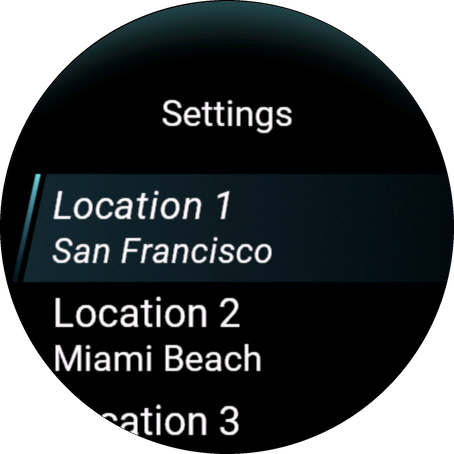
You don't need to change anything. If you want to, go to Devices → your watch → My Apps → Tides GB → Settings in the Connect IQ app on your phone, or use Settings in the app on your watch.
| Setting | Default | What it does |
|---|---|---|
| Use GPS location (Location 1) | On | Location 1 follows your watch's position. Turn it off to keep Location 1 in one place. |
| Latitude, Longitude | Empty | The place for this location, in decimals, for example 52.3676 and 4.9041. West and south are negative. |
| Tide source | Auto (free sources) | Where the tides come from. See Choose a tide source. |
| Place found (phone only) | The place the app found for your coordinates, so you can check them. Open the settings again after a sync to see it. | |
| Height unit | Same as watch | Same as watch, meters or feet. |
| Tide times | Time at the location | Which clock the tide times use. Time at the location shows them in the local time of the place, like tide tables do. Watch time shows them in your watch's time. This applies to every time in the app, the glance, the Locations list and the complications. Countdowns like 3h 20m are the same either way. With Time at the location, the day graphs run from midnight to midnight at that place. For a location that follows your GPS, nothing changes. |
| Refresh every | 3 days | How often to get new tides: every 1, 3 or 7 days. |
| GPS update | Hourly | How often Location 1 checks where you are: every time the app opens, hourly, every 6 hours or daily. |
| API keys | Empty | Your TideCheck, WorldTides and Stormglass keys. Only needed when you choose that source. |
The watch menu also has:
- Use my position, in the menu of each location: saves where you are now.
- Remove location, for Location 2 and 3.
- Refresh now: gets new tides right away.
- Clear cache: deletes all saved tides. The app then gets them again.
- About: the version and the data credits.
Troubleshooting
The glance only has room for a short message, like Open the app. Open the app to see the full message.
| Message | What to do |
|---|---|
| No location set. Press START to open the menu and add one. | Press START, choose the location, and choose Use my position or enter coordinates. See Set up the app. |
| Waiting for GPS | Location 1 follows GPS, but the watch doesn't know where you are yet. Go outside and start an outdoor activity with GPS for a moment. Or turn off Use GPS location and enter coordinates. |
| No GPS fix (under Use my position) | The watch has no recent position. Go outside, start an outdoor activity with GPS for a moment, and try again. Or enter the coordinates. |
| Waiting for data | The first update hasn't finished. Check that your phone is connected, give it a few minutes, or choose Refresh now. |
| This source needs an API key. Add it in the phone settings. | You chose TideCheck, WorldTides or Stormglass, and there is no key, or the key was not accepted. Check that you copied the whole key. Stormglass allows 10 requests a day, so after many refreshes, wait until the next day. Or choose Auto. |
| This source has no station near here. Choose Auto or another source in Settings. | The source you chose doesn't cover this place, for example NOAA outside the USA. Choose Auto. |
| No free tide data here. Try open water or a source with a key (TideCheck is free) in Settings. | None of the free sources has tides for this spot. Move the coordinates a little toward open water, or add a free TideCheck key and choose TideCheck. |
| Update failed. Check the phone connection. (with a code) | Check that your phone is nearby, Bluetooth is on and the Connect IQ app is running. Then choose Refresh now. The tides you already have keep showing. Does it keep failing? Send me the code. |
| A location entered on the phone doesn't update | Open the app on your watch once. A location from the phone only starts updating after that. |
| Estimate at the bottom of the first page | These tides are a model estimate from Open-Meteo and can be an hour or more off. For exact tides, add a free TideCheck key and choose TideCheck. |
| The tide times look a few hours off | The location is in another time zone, and the times are shown in the local time of that place. Read them as local time there, or set Tide times to Watch time in Settings. |
A complication shows -- |
Location 1 has no tides yet. Open the app and check Location 1. |
Still stuck? Contact me at supportgmail@watchface.io.
Not for navigation. Always check official tide tables when safety depends on it.
Data
Tides: NOAA, Canadian Hydrographic Service, Rijkswaterstaat, Open-Meteo (CC BY 4.0), TideCheck, WorldTides, Stormglass, TICON-3 (Hart-Davis et al., CC BY 4.0). Place names: OpenStreetMap contributors.
This is an independent, third party app. I am in no way affiliated with, endorsed by, or associated with any of the data providers named on this page.