This page is for watchfaces with their settings on the watch. Are your settings in the Connect IQ app? See the Classic version of this page.
Plugins
Plugins are separate apps that give your watchface extra data. Install one, and its fields appear on your watchface.
Available plugins
| Plugin | What it adds |
|---|---|
| OWM Weather GB | Weather from OpenWeatherMap. Needs a free API key. |
| YR Weather GB | Weather from YR. No API key needed. |
| CGM+ | Glucose values from Dexcom, Libre, Nightscout and xDrip. |
| Hydration Pro | How much you drank. From another developer, in a paid and a free version. |
| Hydrate+ | How much you drank. From another developer. |
| CGM Connect | Glucose values. From another developer. |
Use a plugin
- Install the app and open it once on your watch.
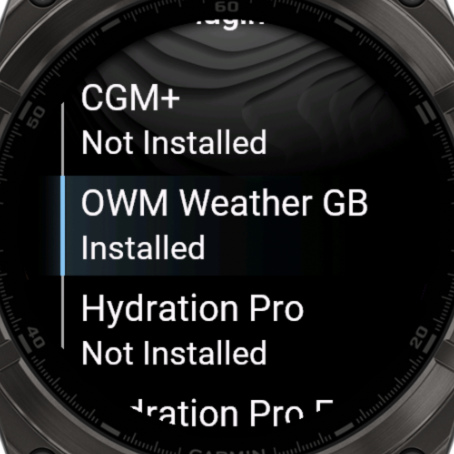
- Open the watchface settings and choose Plugins. It should say Installed. Choose a plugin for a QR code with more information.
- Open a field in Data and choose Data → Plugins, then the plugin and the value you want.
Good to know
- OWM Weather GB and YR Weather GB have to be started at least once before they show weather. After restarting your watch, scroll through your glances once to make them get weather again.
- Still says Not Installed? Choose Refresh all data in the settings.
- Plugin not listed? You may still be able to show its data. See Data From Other Apps.