This page is for watchfaces with their settings on the watch. Are your settings in the Connect IQ app? See the Classic version of this page.
Colors
Change any color on your watchface, or give one field its own color.
Where to change colors
- Advanced options → Colors: every color.
- Time options: the colors of the time.
- Data → a field → Color Overrides: a color for this field only. See Labels, Colors & Offsets.
On AMOLED watches
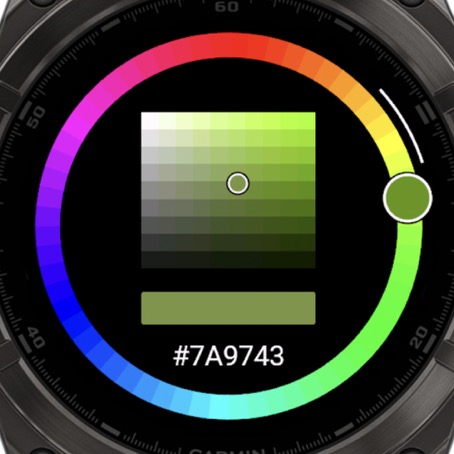
You get a color ring around a square. The ring sets the color, and the square sets how bright and saturated it is.
| To | Touch | Buttons |
|---|---|---|
| Change the color | Drag the ring or the square | UP or DOWN |
| Switch between the modes | Hold MENU | |
| Type a color | Tap the color code | |
| Save | ENTER | ENTER |
| Cancel | BACK | BACK |
Without touch
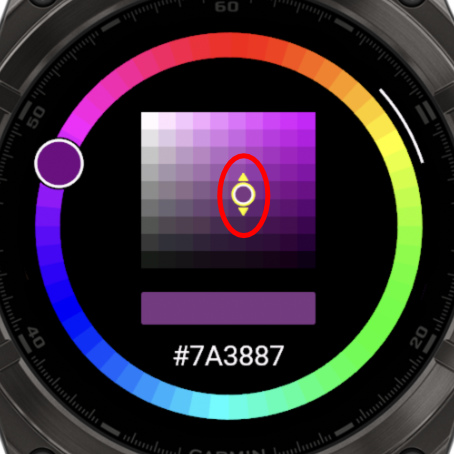
On a watch without touch, you change the color in 3 modes. Use UP and DOWN to change the value, and ENTER to go to the next mode:
- Big circle: the color.
- Square, horizontal: the saturation.
- Square, vertical: the brightness. ENTER saves your color here.
To switch between the modes yourself, hold the MENU button.
Type an exact color
Know the color you want? On a watch that supports touch, tap the color code on the screen and type its 6 characters, like FF8800.
To find the code of a color, use the Color Picker on this website.
On MIP watches
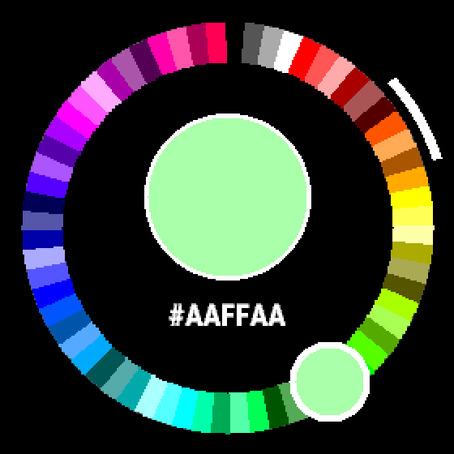
MIP screens can show 64 colors, so you get a ring with all of them. Tap a color or use UP and DOWN, then press ENTER to save. A typed color uses the closest one of those 64.
Good to know
- The background color usually can't be changed on AMOLED watches, but this can be different per watchface.
- Applying a theme replaces your colors.