Themes
A theme changes the look of your watchface in one go. Your data fields stay as they are.
Apply a theme
- Open the watchface settings and choose Themes.
- Browse the themes: tap the left or right side, swipe, or use UP and DOWN. Your watchface shows each one right away.
- Press ENTER to save, or BACK to keep what you had.
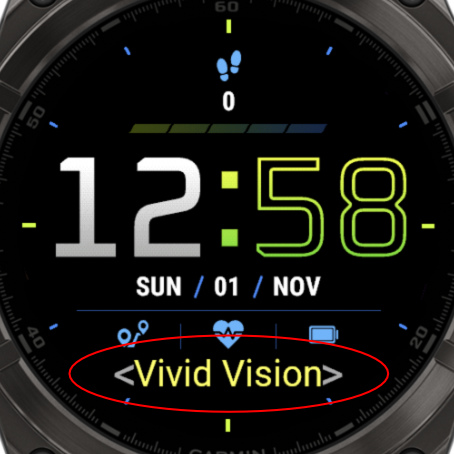
What a theme changes
- The colors, including any Color Overrides on your fields.
- The fonts of the time.
- Some style settings of the watchface.
Selecting a theme overwrites your colors. To be safe, try it in a new profile, so your current look stays in the other one.
After applying a theme, you can still change anything you like.
Random theme
The last choice in the list, AI Gen, makes a new random theme every time you get to it. Go back and forth to it to generate a new one each time. With PRO, you can also set Generate AI Theme, Next Theme or Previous Theme as a touch shortcut.
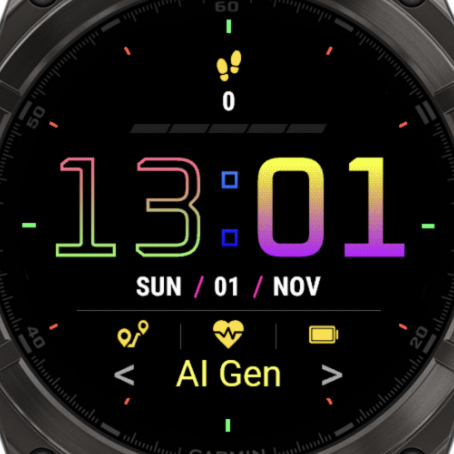
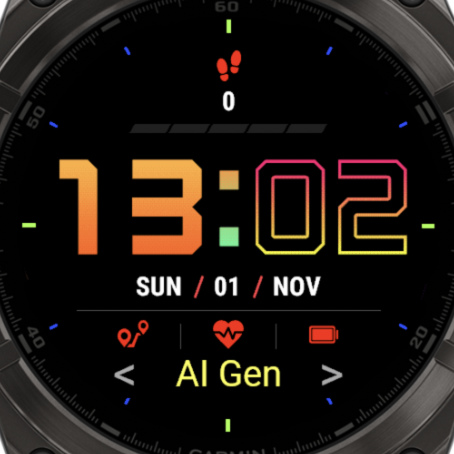
See them all
Every watchface has its own themes, with different ones for AMOLED and MIP watches. See the No Excuses themes.