OpenWeatherMap (OWM) Guide
About API Keys
Basic weather For basic weather data, you can leave the API key empty. When doing so, my developer api key is used for your convenience.
Advanced Features: For additional weather metrics, you'll need a personal One Call API 4.0 subscription. This includes:
- UV Index
- Dew Point
- Precipitation
- Weather Forecasts
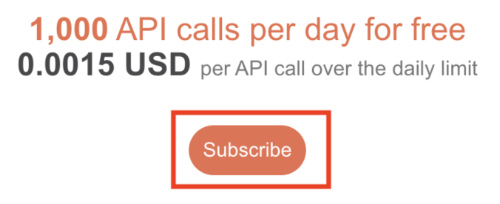
Important: Using a standard OWM key will result in an "ERR: APIKEY" message. Make sure to subscribe to the One Call API 4.0 plan on the OWM website. This is free up to 1,000 calls a day. After subscribing, it can take up to 2 hours for the subscription to become active, give it some time after updating your key.
Usage Limits
- Default update interval: 30 minutes
- Maximum daily calls: 288 (when set to 5 minute interval)
- Free tier limit: 1,000 calls/day
- You're well within limits with default settings!
Getting Your API Key
- Visit OpenWeatherMap API
- Create an account or log in
- Go to One Call API 4.0 and click "Subscribe"
- Select the free plan (1,000 calls/day at no cost)
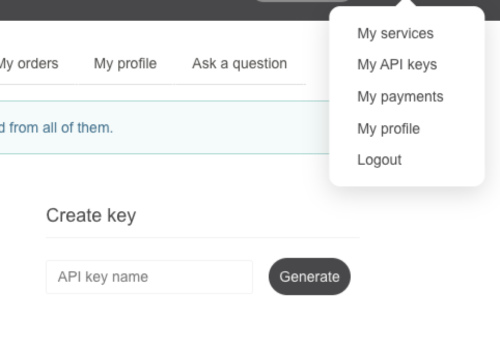
- Navigate to "My API Keys" in your account
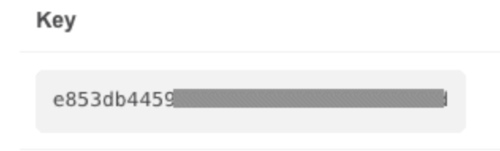
- Copy the API key (the same key is used for One Call 4.0)
Setting Up Your Device
- Open watch-face settings
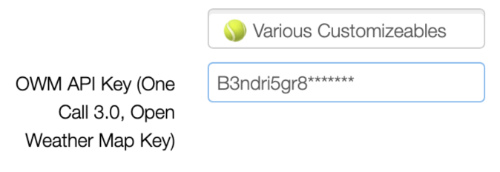
- Find "Open Weather MAP API key (OWM Key)" field
- Paste your API key
- Save changes
Note: Initial weather data may take a few minutes to appear due to Garmin's 5-minute request limit. New API keys can take up to 2 hours to activate.
Troubleshooting
- Ensure you're subscribed to One Call API 4.0 on the OWM website
- Check your phone connection
- Verify GPS signal
- Wait for API key activation (up to 2 hours)
Status Messages
| Message | Description |
|---|---|
| OWM wait | New call requested, waiting for 5 minutes or set update time |
| ERR: KEY | Invalid key - One Call API 3.0 or 4.0 subscription required |
| ERR: APIKEY | A One Call 4.0 subscription is required - standard or missing key detected. Subscribe to One Call API 4.0 on the OpenWeatherMap website |
| ERR: QUOTA | Day quota exceeded for the entered key |
| ERR: GPS | Location is invalid |
| GPS err/gps? | No GPS location found - start an activity with GPS to fix |
| ERR: 400 | Implementation error - please report if seen |
| ERR: 401 | API Key invalid |
| ERR: 404 | Invalid GPS position |
| ERR: 429 | API Key quota exceeded |
| ERR: -104 | No phone connection |
| ERR: -1000 | Storage full |