Dexcom - Installation & Setup
Follow these three simple steps to get the CGM+ App up and running on your Garmin device.
⚡ Quick Setup Guide
Enable Dexcom Share
- • Open Dexcom app
- • Go to Connections → Share
- • Invite yourself as follower
- • Accept email invitation
Configure App
- • Open Garmin Connect IQ
- • Find app in My Devices
- • Enter username & password from main account
- • Select correct region
⏱️ Total time: 5-10 minutes • 📖 See detailed steps below
Step 1: Install the CGM App
- Open the Garmin Connect IQ Store on your phone or visit apps.garmin.com
- Search for "CGM+ GB"
- Tap Download or Install
- Wait for the app to sync to your Garmin device (this may take a few minutes)
Note: Make sure your Garmin device is connected to your phone via Bluetooth and the Garmin Connect app is running during installation. If the installation gets stuck, restart the Garmin IQ app on your phone.
Step 2: Configure Dexcom Share
The CGM+ App requires Dexcom Share to be enabled. This allows the app to fetch your glucose data from Dexcom's servers.
Enable Dexcom Share
- Open the Dexcom G6/G7/ONE+ app on your smartphone
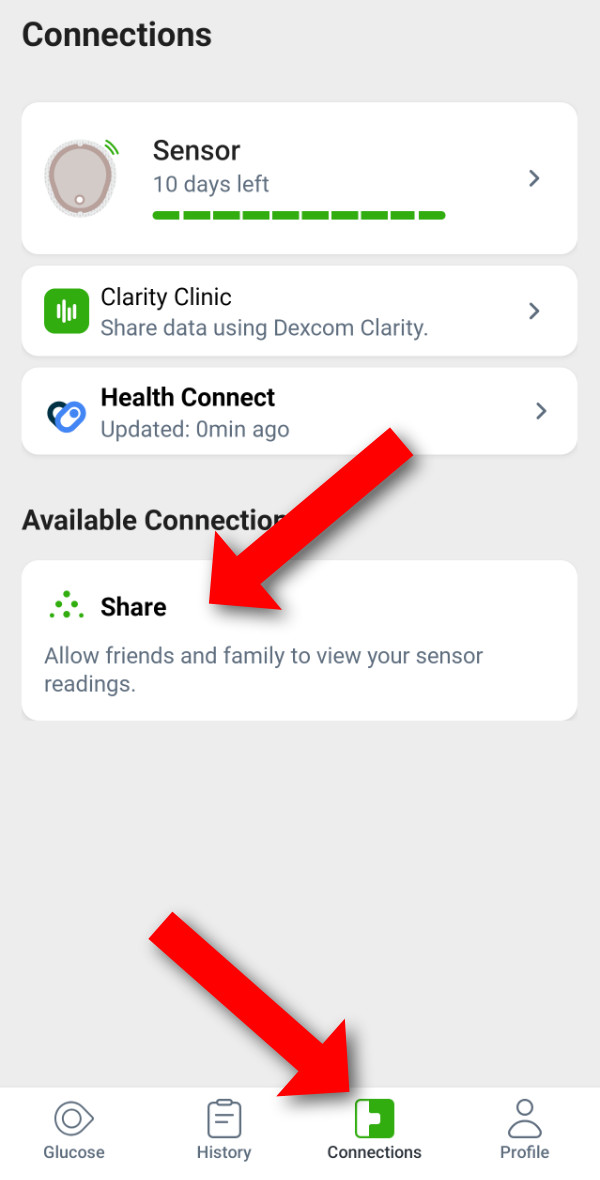
- Navigate to Connections
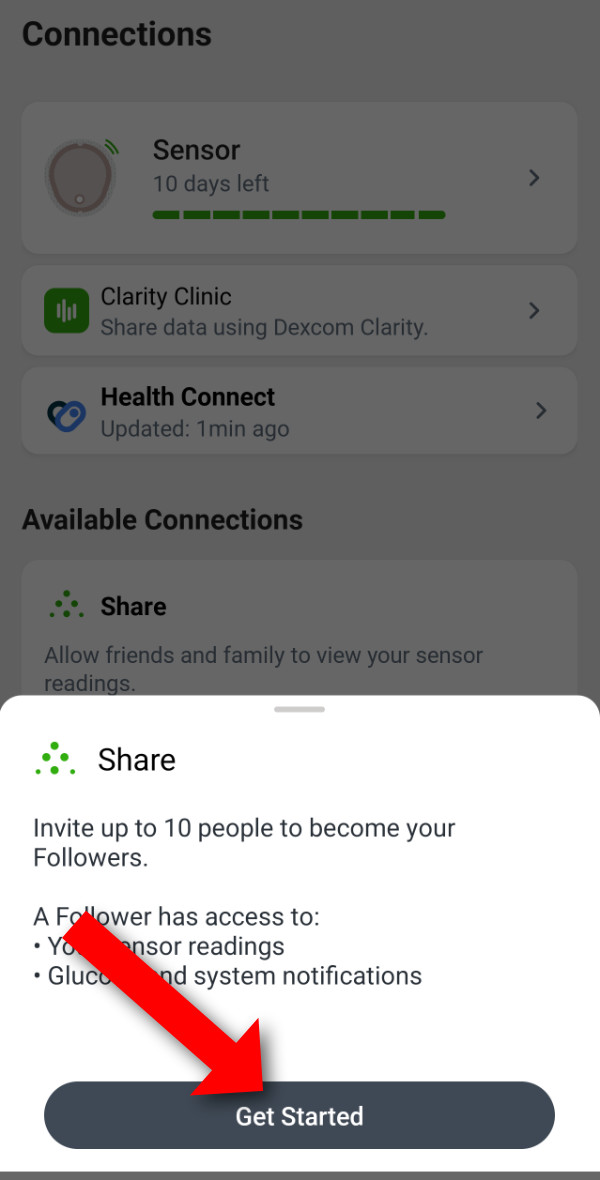
- Add a "follower" under "Available connections" by clicking the "share" button
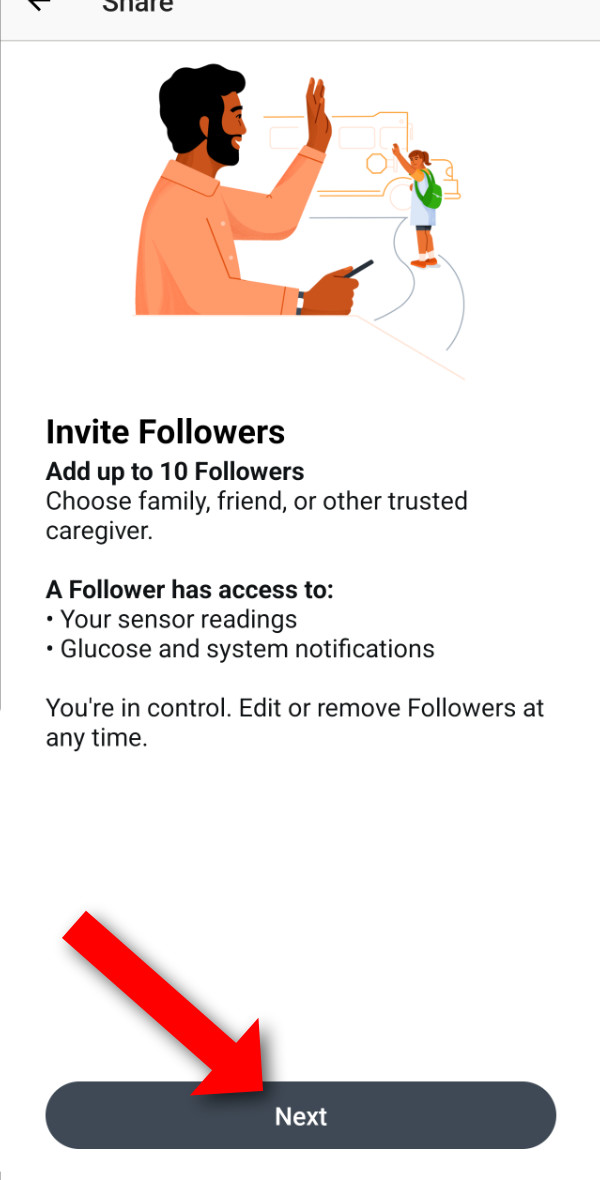
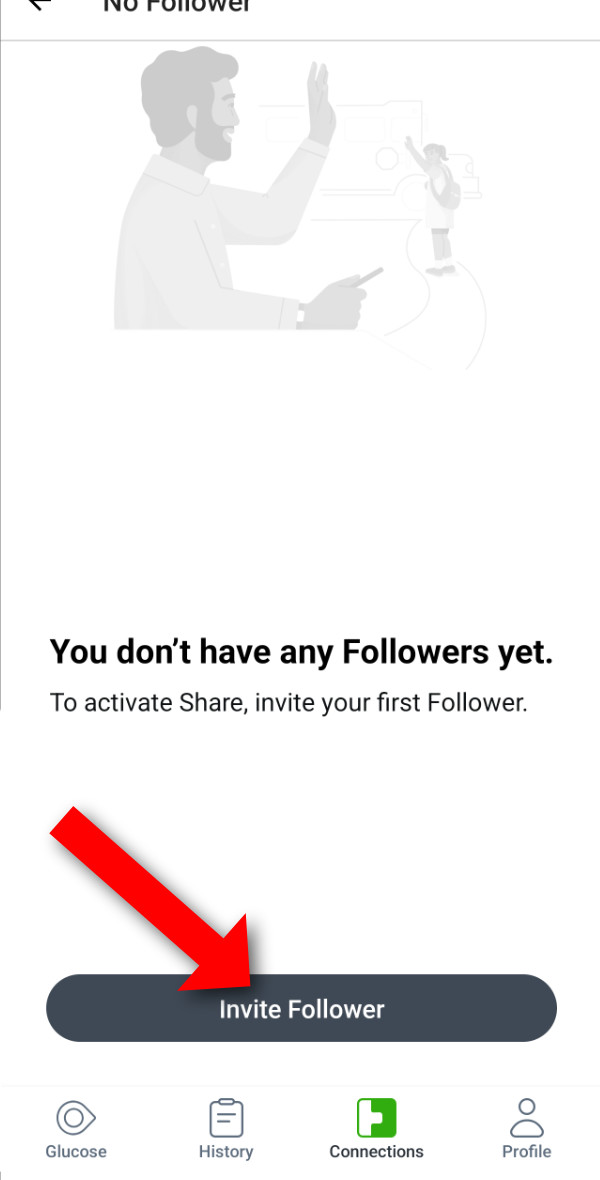
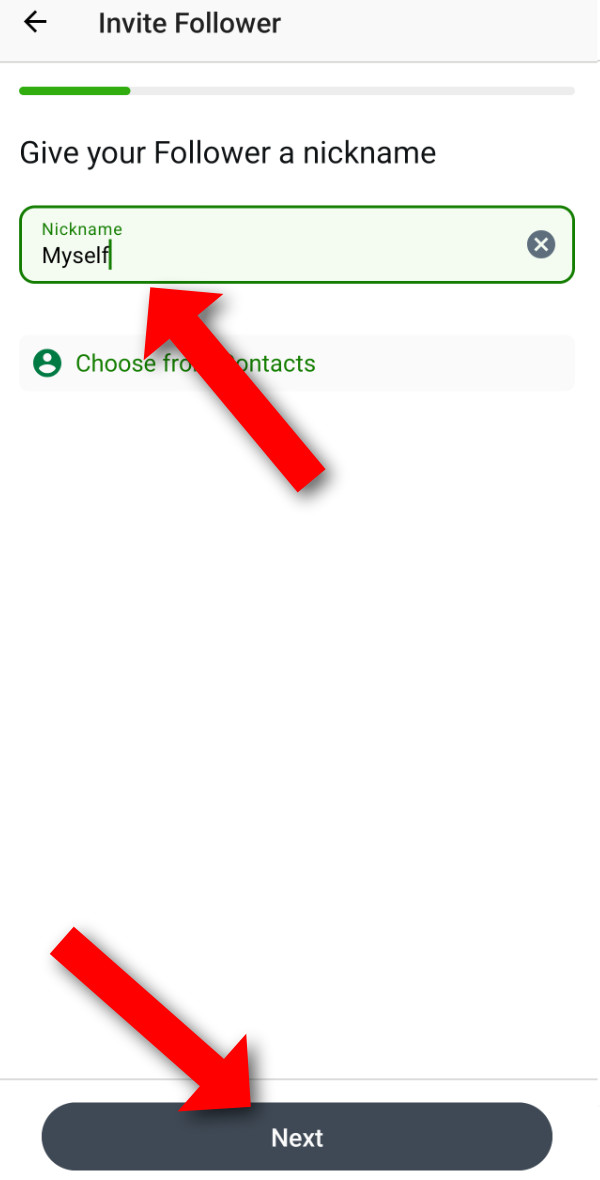
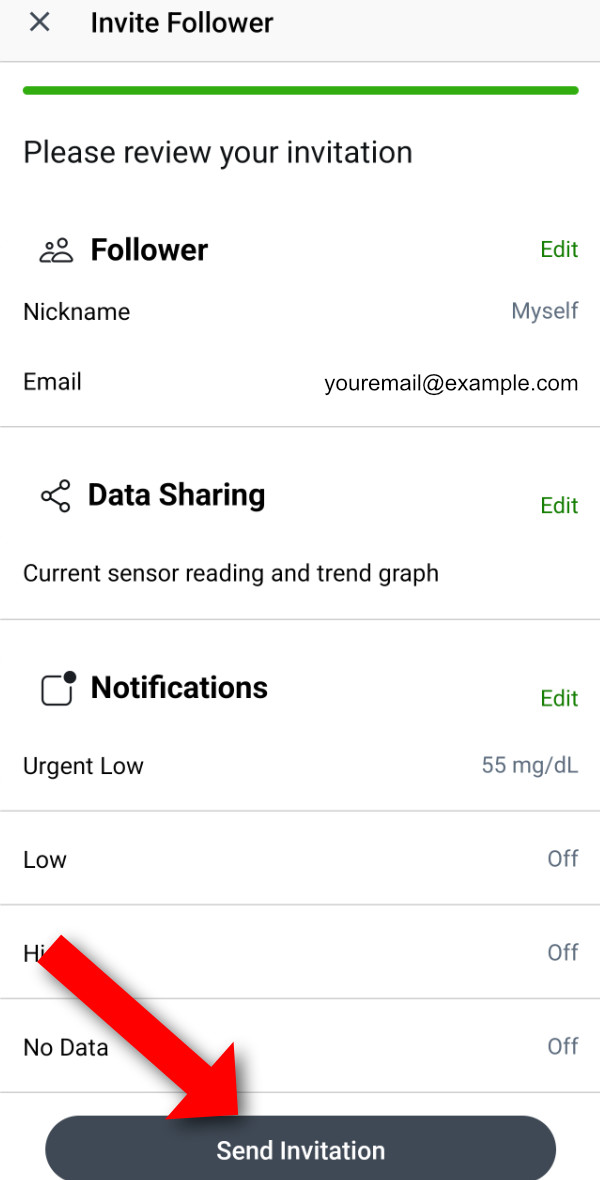
- Follow the prompts and click "Invite Follower"
- Add your own name or "Myself" as the name
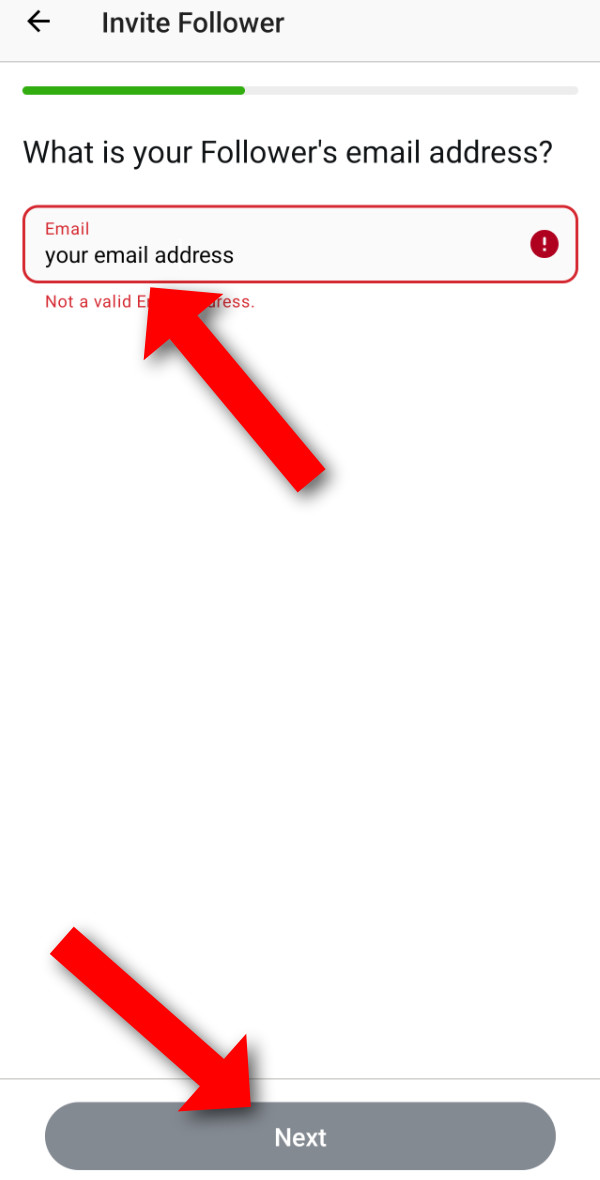
- Enter your own email address as "Follower's email address"
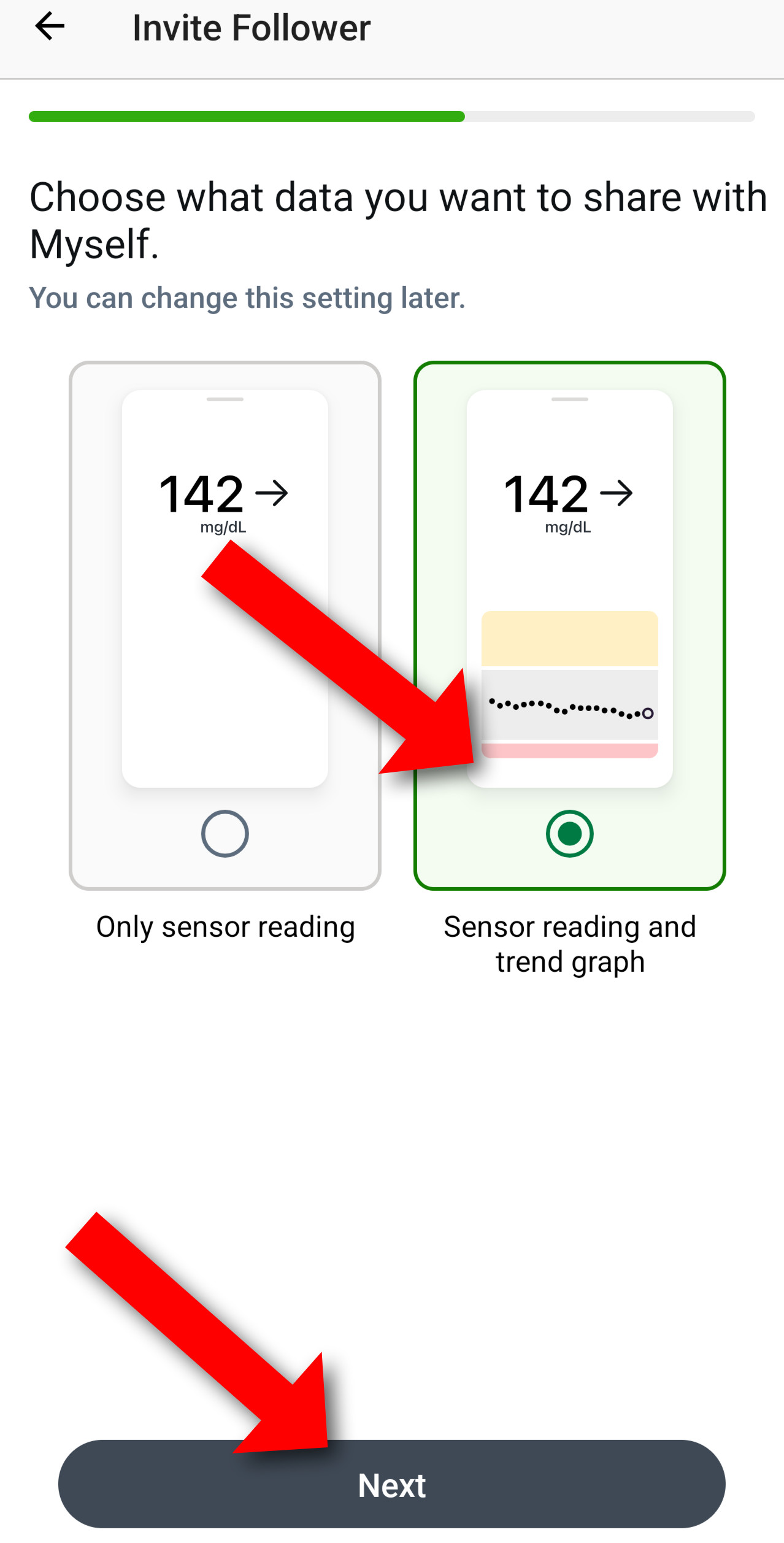
- Pick "Sensor reading and trend graph" as what you want to share
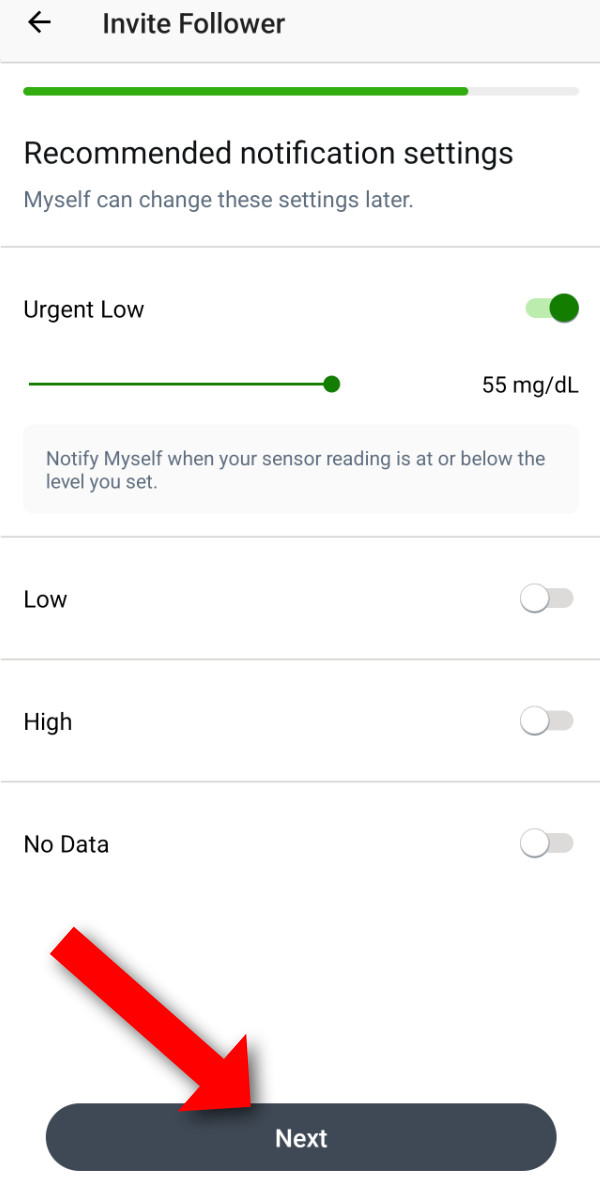
- Press "Next" on the notification settings (they don't apply to the app)
- Click "Send Invitation" to invite yourself to your own data
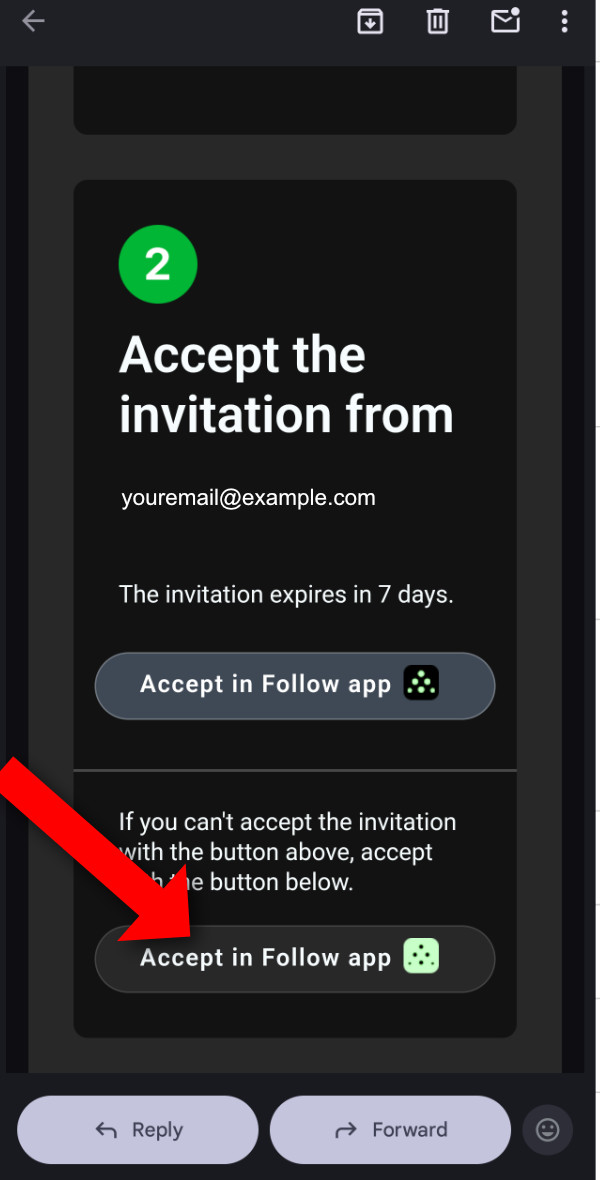
- Check your email and press the "Accept in follow app" button, pick the lower one
- When I wrote these instructions, an empty page showed up when accepting, but it worked.
- That's it, you should be ready to enter your details in the app. Enter your main account info in the app, NOT the followers info.
Step 3: Enter Credentials in the CGM+ GB settings in Garmin Connect IQ
Now you need to configure the CGM+ app with your Dexcom Share credentials.
- Open the Garmin Connect IQ app on your phone
- Tap My Devices at the bottom
- Select your Garmin watch from the list
- Tap Apps
- Find and tap CGM+ GB
- Tap Settings
- Select your Dexcom server region under "CGM System":
- Dexcom US: for US users
- Dexcom International: for most non-US users
- Dexcom Japan:for users in Japan
- Enter your Dexcom username in "Username / Url"
- Enter your Dexcom password in "Password / Token"
- Tap Save
- Sync your settings to your watch by pulling down to refresh in Garmin Connect
✓ Success! Once configured, the app will automatically start fetching your glucose data after opening the app
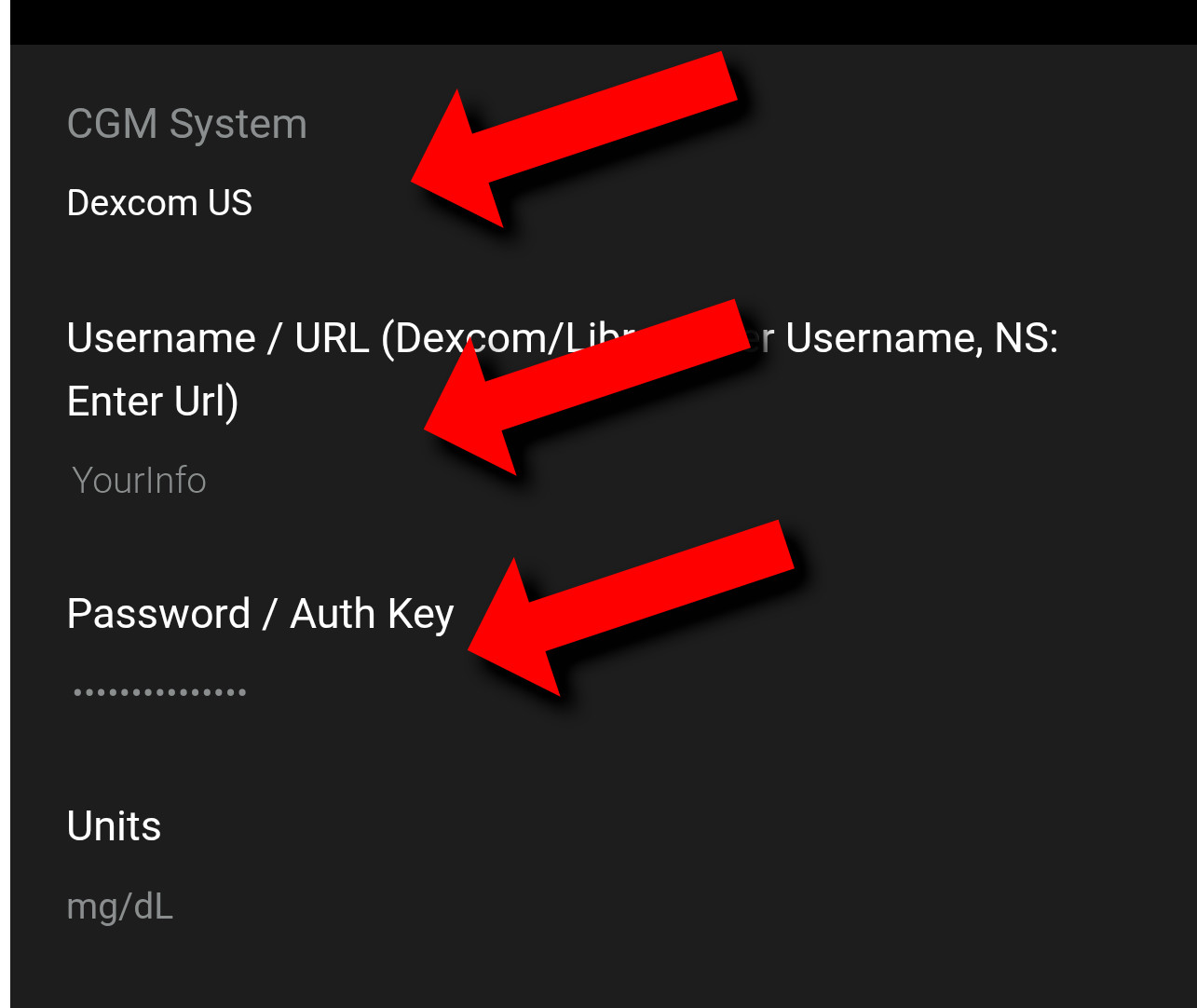
Dexcom configuration in the app settings
Troubleshooting
If you're not seeing glucose data after 10 minutes:
- Double-check your username and password are correct
- Verify you selected the correct server region
- Ensure your phone is connected to the internet
- Make sure Dexcom Share is actively sharing data
- Try restarting the Garmin Connect app
See the Error Codes page for detailed troubleshooting steps.
Next Step: Learn how to display CGM data on your watchface.
⚠️ Important Disclaimer
- NOT FOR MEDICAL DECISIONS: This app is for informational purposes only and should NOT be used to make medical decisions.
- Always verify readings: Confirm glucose values with your official Dexcom receiver or app before taking action.
- Emergency situations: In case of extreme glucose levels or medical emergencies, use your primary CGM device.
- Delayed data: Readings may be delayed by several minutes due to how often the app can sync.
- No liability: The developer assumes no responsibility for health outcomes related to the use of this app.
- Not affiliated: This app is not approved by, endorsed by, or affiliated with Dexcom, Abbott (Libre), or any other medical device company.