 Get it on Connect IQ
Game modes
This page explains every way to play the game. There are a lot of them. I couldn't make the game look better, so I kept adding modes and hoped nobody would notice.
- Training
- Quick Game
- The Lineup screen
- What happens in a match
- Tournament
- World Championship
- Penalty shootouts
- Watch Mode
- Last games
Training
Menu path: Main menu > TRAINING
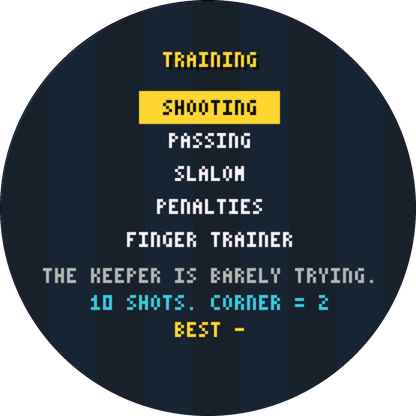
Training has five drills. Move to a drill and the screen shows its rule and your best score. Until you've played it, that says BEST -. Your best scores are saved on the watch.
Players don't get tired in a drill, and there's no opponent trying to take the ball. It's the nicest the game will ever be to you.
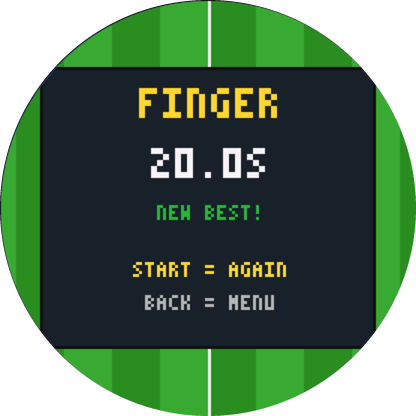
After a drill you see your result. If you beat your record, it says NEW BEST!. That's the only compliment in the whole game, so enjoy it. Press START or tap to play the drill again. Press BACK to go to the Training menu (see Controls if your watch has no BACK button).
| Drill | What you do | Score | Best score is |
|---|---|---|---|
| Shooting | 10 shots at the goal. | 1 point a goal, 2 in a corner. Maximum 20. | The highest |
| Passing | Pass to your teammates for 60 seconds. | Passes that reach a teammate. | The highest |
| Slalom | Run through 8 gates as fast as you can. | Your time. A missed gate adds 2 seconds. | The lowest time |
| Penalties | A penalty shootout against a random team. | The goals you score. | The most goals |
| Finger Trainer | Hit 15 balls as fast as you can. | Your time. A miss adds 1 second. | The lowest time |
Shooting
Menu path: Main menu > TRAINING > SHOOTING
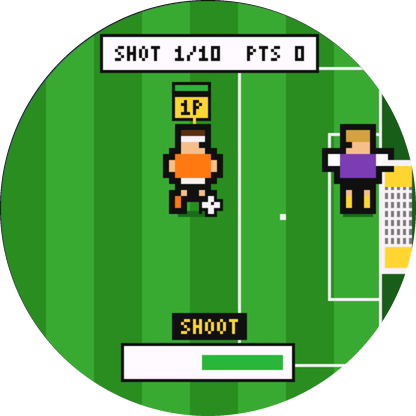
It's you, the ball and a keeper. Your player runs at the goal by himself. Press START (or tap twice) to shoot. You get 10 shots. With the buttons you can aim: hold UP or DOWN while you shoot, and the ball goes to the top or bottom corner.
A goal is 1 point. A goal in one of the yellow corner squares is 2 points, and the screen says CORNER +2. The counter at the top looks like this: SHOT 3/10 PTS 4. The keeper is good. He should be. Standing in that goal is the only thing he has ever done.
Passing
Menu path: Main menu > TRAINING > PASSING
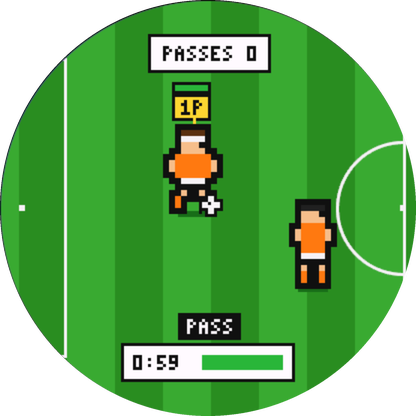
You stand still with the ball, and two teammates run around you. Press START to pass, or tap twice on a teammate. After the pass you are that teammate, and you pass again. If your watch has UP and DOWN, you can move a little up or down to find a better angle.
You have 60 seconds. The number of passes that arrived is at the top (PASSES), and the clock shows the time left. A pass that goes nowhere doesn't count. You'll see a few of those.
Slalom
Menu path: Main menu > TRAINING > SLALOM
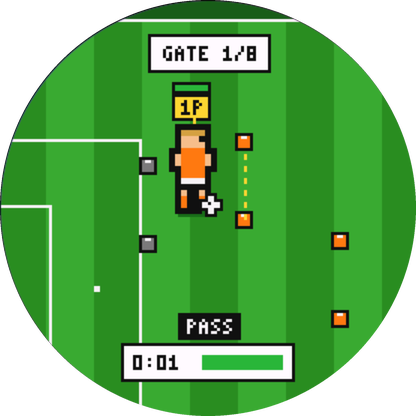
Run with the ball through 8 gates. A gate is two orange cones, and a yellow dashed line marks the gate you have to go through next. The top of the screen shows where you are, for example GATE 3/8, and the clock counts up. If you miss a gate, you get MISS +2S: 2 seconds added to your time.
This is the drill where you find out how the steering really works. I'm sorry in advance.
Penalties
Menu path: Main menu > TRAINING > PENALTIES
A penalty shootout against a random team. The rules are the same as in a match: see Penalty shootouts. The result looks like 4-3 WIN. Your best score is the most goals you scored in a shootout you won. Scoring five and still losing doesn't count as a record. It does count as bad luck.
Finger Trainer
Menu path: Main menu > TRAINING > FINGER TRAINER
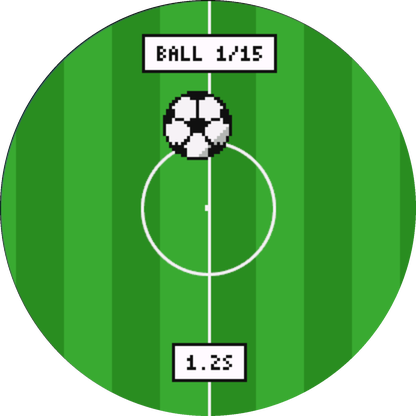
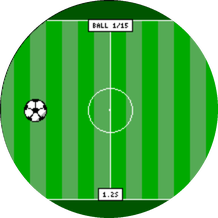
A big ball appears on the screen. Tap it, and the next ball appears somewhere else. Do that 15 times, as fast as you can. Your time looks like 12.4S, and a miss costs you a second: MISS +1S. On a watch without a touch screen, the ball appears next to a button (UP, DOWN, START or BACK), and you press that button.
This has nothing to do with soccer. It is also the most fun drill. I try not to think about what that says about the rest of the game.
Quick Game
Menu path: Main menu > QUICK GAME > KICK OFF
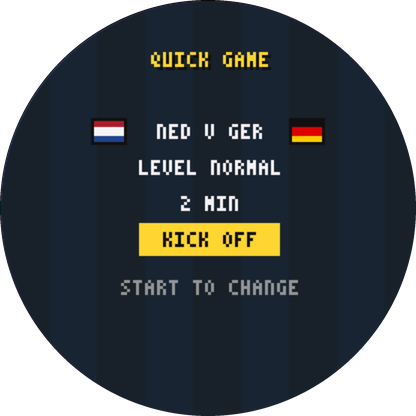
One match, against a team you choose. The screen has four rows. Press START on a row, or tap it, to change it to the next option. When you're happy, choose KICK OFF.
| Row | What it does |
|---|---|
| NED V GER (your team V the opponent) | Each press picks the next of the 32 teams. Your own team is set in Settings. |
| LEVEL | EASY, NORMAL or HARD. On a higher level the computer players run faster and their keeper is better. The controls are equally bad on all three. |
| MATCH length | 30 SEC, 1, 2, 4 or 6 MIN. That is real time. The clock on the screen always counts from 0 to 90, so in a 30 second match it adds 3 minutes every second. |
| KICK OFF | Goes to the Lineup screen, then the match. |
The level and the match length are the same ones you find in Settings. If you change them here, they also change for the Tournament and the World Championship. A Quick Game can end in a draw. There are no penalties and no extra time. You both just go home.
The Lineup screen
Menu path: Main menu > QUICK GAME > KICK OFF > Lineup. In a Tournament or World Championship you see it after PLAY.
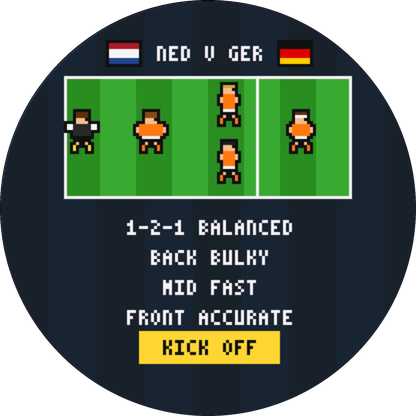
Before every match you choose how your team lines up. This is the tactical part of the game. It takes about four seconds.
Each row has a few options. Press START on a row, or tap it, to switch it to the next option. The game remembers what you picked for next time. Choose KICK OFF to start the match, or press BACK to go back.
The shape
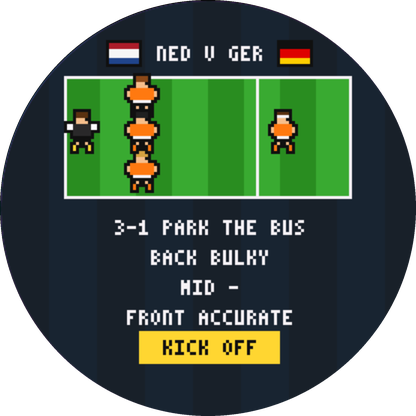
The first row is the shape of your team. The numbers count from the back to the front: 1-2-1 means 1 defender, 2 in the middle and 1 striker. The keeper is not in the numbers. He always plays, whether he wants to or not.
| Shape | Name | Players |
|---|---|---|
| 1-2-1 | BALANCED | 1 at the back, 2 in the middle, 1 at the front |
| 2-1-1 | DEFENSIVE | 2 at the back, 1 in the middle, 1 at the front |
| 1-1-2 | OFFENSIVE | 1 at the back, 1 in the middle, 2 at the front |
| 2-2 | SQUARE | 2 at the back, 2 at the front, none in the middle |
| 3-1 | PARK THE BUS | 3 at the back, 1 at the front |
| 1-3 | ALL OUT ATTACK | 1 at the back, 3 at the front |
The player types
The rows BACK, MID and FRONT choose what kind of player stands in each line. Every player in a line is the same type. If your shape has nobody in a line, that row shows - and you can't change it.
| Type | What it is good at |
|---|---|
| BULKY | The hardest shot and the best tackles. The slowest runner. |
| FAST | The fastest runner. The weakest shot. |
| ACCURATE | The most accurate shots and passes. Medium speed. |
The game starts with bulky players at the back, fast ones in the middle and accurate ones at the front. That works fine. No player is good at everything, which makes them a lot like the game.
What happens in a match
The rules are the same in every mode, and there aren't many. There is no offside, no referee and no yellow cards. I tried to add offside, but then I had to understand it first.
Kick-off and halves
A match has two halves, with HALF TIME in between. You kick off the first half and the other team kicks off the second. After a goal, the team that let it in kicks off.
A Quick Game or a World Championship group game can end in a draw. In a knockout match somebody has to go home, so a draw goes to a penalty shootout.
What you see on the screen
| On the screen | What it is |
|---|---|
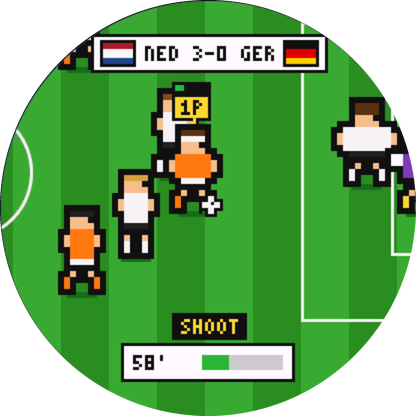
| The strip at the top | Flags, team codes and the score, for example NED 1-0 GER. |
| The strip at the bottom | The match minute (for example 23') and your player's stamina bar. |
| SHOOT or PASS | Above the clock while you have the ball: what START (or a double tap anywhere) will do. SHOOT is yellow when you're close enough. |
| The yellow 1P tag | Above the player you control, with a small bar that shows his stamina. Without the tag you would never find him. With the tag it is still not easy. |
| Messages | GOAL!, SAVED!, POST!, GOAL KICK, TACKLE!, KEEPER!, HALF TIME and KICK OFF. |
On the black and white Instinct 3 Solar and Instinct E, the score is in the small round window at the top right. In a drill, the counter is there. It's the best use of that window I could think of.
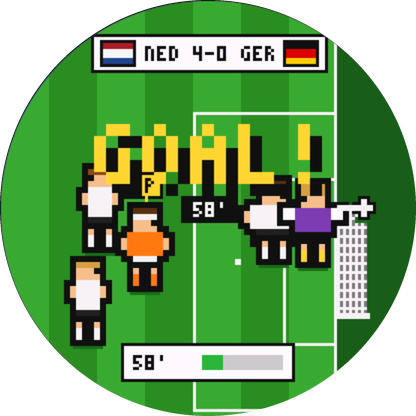
The watch buzzes when something important happens, like a goal. There's no crowd and no sound in this game, so the buzz is all the atmosphere you get. You can turn it off in Settings.
Goal kicks and keepers
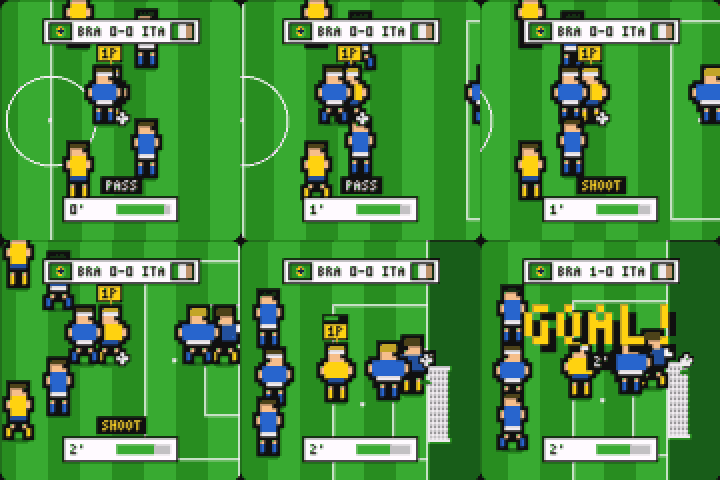
When the ball goes over the goal line next to the goal, it's a GOAL KICK. It doesn't matter who touched it last. The keeper holds the ball for a moment and then passes or kicks it out. Until he does, the other team has to stay out of his box.
Keepers stop most shots. A hard shot or a shot in the corner has the best chance. A slow shot at the middle of the goal has almost none, and sometimes the ball hits the POST! If you run too close to the keeper with the ball, he may come out and take it from you: KEEPER! That one hurts every time.
Tackles
There are two ways to take the ball from the other team.
Running tackle: run into the player with the ball. You don't press anything, and sometimes you come away with the ball.
Slide tackle: when you don't have the ball, press START (or tap twice). Your player slides toward the ball. If he reaches the player who has it, you can win the ball: TACKLE! If he misses, he lies on the grass for a moment while the game goes on without him.
Bulky players are the best at both tackles. The other team never slides. They only run into you, and on HARD that works more often than you'd like. Nobody can tackle a keeper.
Stamina
The player you control gets tired. You don't, because you're sitting down. His stamina bar is next to the clock, and there's a small one above his 1P tag.
With a full bar he's faster than the computer players. A full bar lasts about 10 seconds. When it's almost empty it turns from green to red, and when it's empty he's a little slower than everyone else. Players you don't control are resting. An empty bar fills up again in about 20 seconds.
So the smart thing is to pass to a player who has rested. That's the idea, anyway. In a real match you'll be too busy to look at any bar.
The pause menu
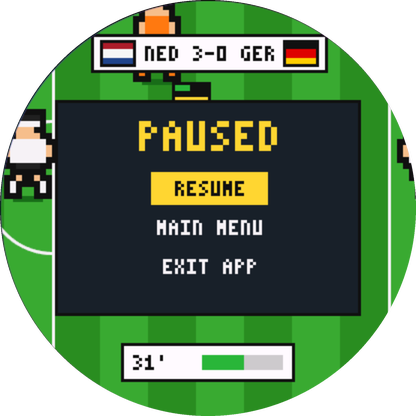
You can pause a match at any moment. Controls tells you how on your watch. Pausing always works, which makes it the best control in the game.
| Row | What it does |
|---|---|
| RESUME | Back to the match. |
| MAIN MENU | Stops the match. It is not counted in your record. From a Quick Game you go to the main menu. From a cup you go back to the cup screen, and you can play the match again. |
| EXIT APP | Closes the game. The match is not counted in your record. |
Full time
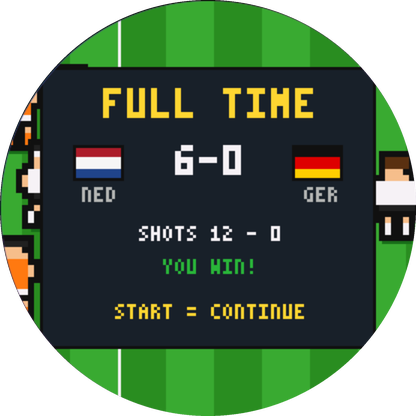
When the match is over you see FULL TIME, the score and how many shots each team had. After a penalty shootout, that line shows the shootout score instead. Under it is the verdict: YOU WIN!, YOU LOSE or DRAW.
Press START or tap to go on. The match is now in your record, and there is no button to take it out again. I looked.
Tournament
Menu path: Main menu > TOURNAMENT > PLAY
A cup with 8 teams: you and 7 random others. You play a quarter final, a semi final and a final. If you lose once, you're out. The whole cup is three matches. That's a short walk to a trophy, and most people still don't get there.
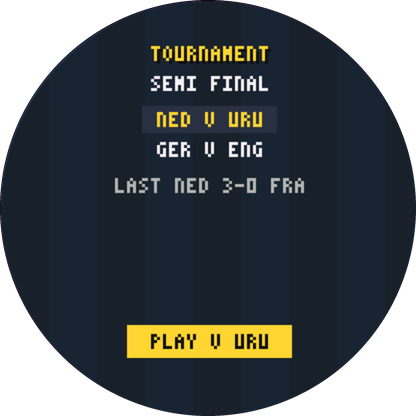
The cup screen shows the round, the matches in it (yours is at the top) and your last result. Choose PLAY V and your opponent to go to the Lineup. You only play your own matches. The watch plays all the others in a split second.
- A draw at full time goes to a penalty shootout.
- If you lose, the screen says KNOCKED OUT. It also tells you which round you reached and who won the cup in the end, in case you wanted to feel worse.
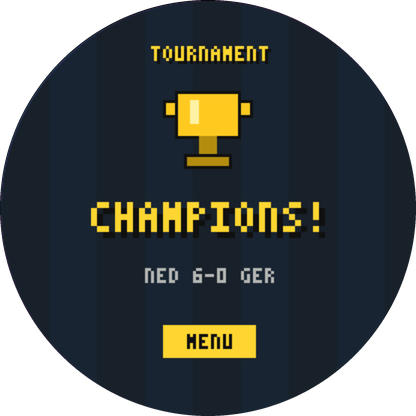
- If you win the final, you get CHAMPIONS! and a gold trophy. The trophy is the best drawing in the game. I spent more time on it than on the players.
- After that, START or a tap takes you to the main menu. The next time you choose TOURNAMENT, a new cup starts.
World Championship
Menu path: Main menu > WORLD CHAMPIONSHIP > PLAY
The big one. All 32 teams play: first in groups, then in knockout rounds. To win it you have to play 7 matches, which is a lot of this game in one go.
The group stage
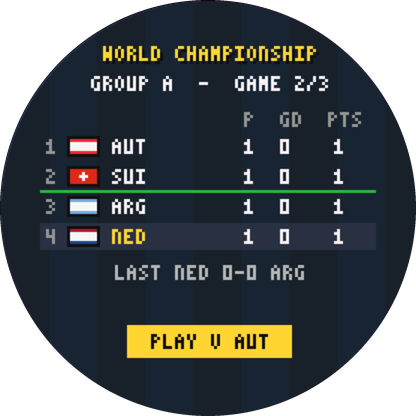
There are 8 groups of 4 teams. You're always in Group A. You play the other 3 teams in your group once each, and the watch plays all the other matches. A win is 3 points, a draw is 1 and a loss is 0.
In the table, P is matches played, GD is goal difference and PTS is points. Your team is highlighted. The top two teams of each group go through. There's a green line under second place, so you can see how far below it you are. If two teams have the same points, goal difference decides. After that it's goals scored, and after that the stronger team goes through.
The knockout rounds
After the group come the round of 16, the quarter final, the semi final and the final. A draw goes to a penalty shootout.
If you're knocked out, in the group or later, the watch plays the rest of the cup in one go and tells you who won. You don't have to sit through it. I'm not a monster.
Saving
You don't have to finish a cup in one sitting. Both cups are saved after every match. On the cup screen, press BACK or close the game. When you choose the same row in the main menu later, you go on where you stopped. The green dot in the main menu shows that a cup is saved.
- If you quit a match from the pause menu, the cup goes back to how it was before that match. You can then play the match again. Yes, that also works when you're losing 5-0. No, I won't tell anyone.
- When a cup is finished, pressing START on its last screen deletes the saved cup.
- Changing your team in Settings deletes both saved cups. You start a new Tournament and a new World Championship.
Penalty shootouts
Menu path: a level knockout match in a Tournament or World Championship, or Main menu > TRAINING > PENALTIES
The rules
Each team takes 5 penalties, in turns. You go first. The team with the most goals wins. The shootout stops early when one team can't catch up any more. If it's still a draw after 5 each, both teams take one more penalty at a time, until one scores and the other misses.
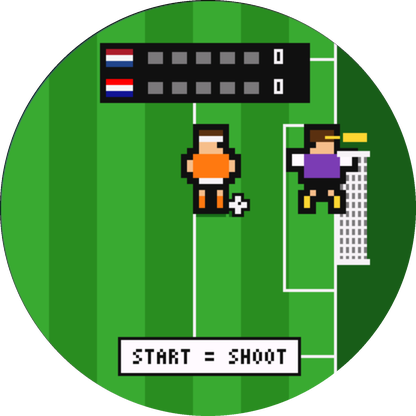
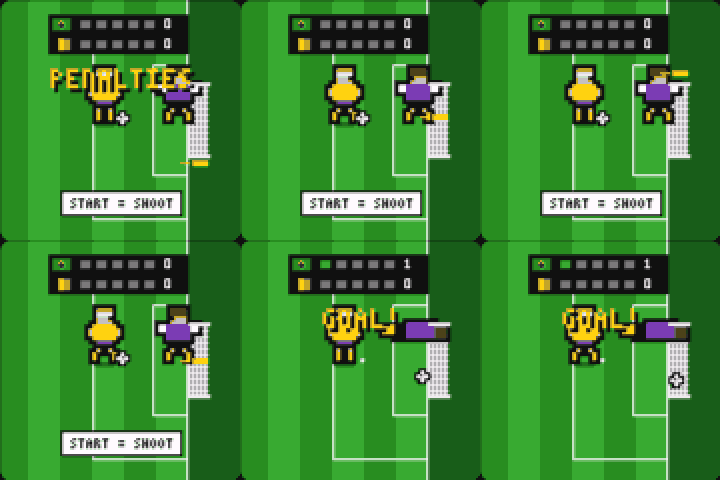
Each team has a row of 5 dots at the top of the screen. A green dot is a goal, a red dot is a miss and a grey dot is a penalty that hasn't been taken yet. The number next to the dots is the score. On a black and white watch, a goal is a block, a miss is a dash and a penalty not yet taken is a small dot.
When you shoot
A yellow marker moves back and forth across the goal. The hint says START = SHOOT. Press START or tap, and the ball goes where the marker is at that moment. The marker also goes a little past each post. If you shoot when it's on a post or past it, you miss: WIDE!
The keeper picks the top, the middle or the bottom of the goal, at random. If your shot goes to his part, he stops it: SAVED! But he can't reach a ball that goes in right next to a post. So wait until the marker is just inside a post, and shoot then. That's the only useful tip in this whole manual. It took me four pages to get to it.
When you keep
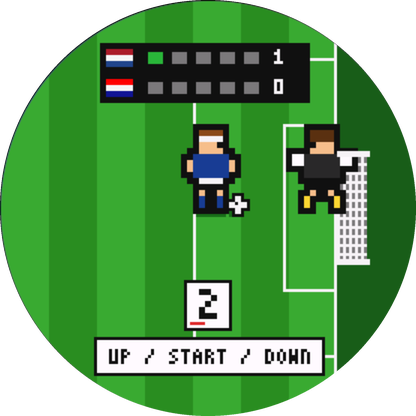
Now you're the keeper. You have 3 seconds to choose: dive up, stay in the middle or dive down. The screen counts down, and the hint shows what you picked: DIVE: UP, STAY: MIDDLE or DIVE: DOWN. You can change your mind until the time is up. If you do nothing, you stay in the middle.
The computer shoots at the top, the middle or the bottom, at random. If you picked the same part, you save it. So it's a pure guess. There is no skill involved, which is good news for most of us. Sometimes the computer misses the goal completely: MISSED! You may take the credit for that.
Which button or tap does what on your watch is on the Controls page.
Watch Mode
Menu path: Main menu > WATCH MODE
In Watch Mode the watch plays both teams, and you only watch. A match takes 2 minutes. When it's over, the next one starts after a few seconds, and this goes on until you stop it. Nothing buzzes and nothing is counted in your record.
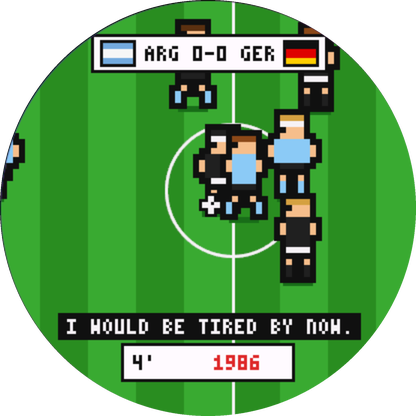
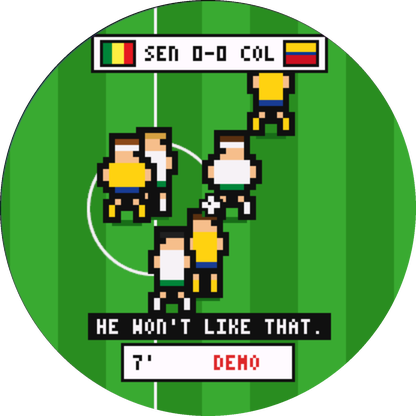
There's no 1P tag and no stamina bar. Next to the clock is a small tag that tells you what you're watching: DEMO, 1986 or LIVE.
I'll admit I use this mode more than I play the game myself. The computer is better at it than I am, and it never blames the controls.
Watch Mode is not in the lighter version for older watches.
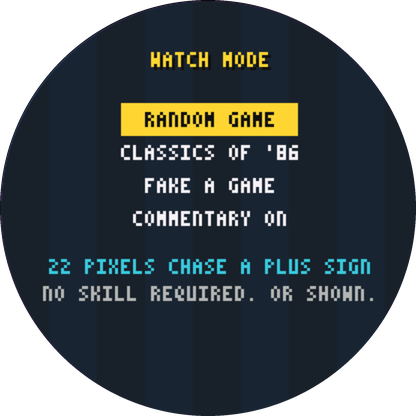
Random Game
Menu path: Main menu > WATCH MODE > RANDOM GAME
The watch picks two random teams and lets them play. After full time it picks two new teams. You don't have to choose anything or do anything. It's the mode for people who are tired of pressing buttons, which after a few matches is everyone.
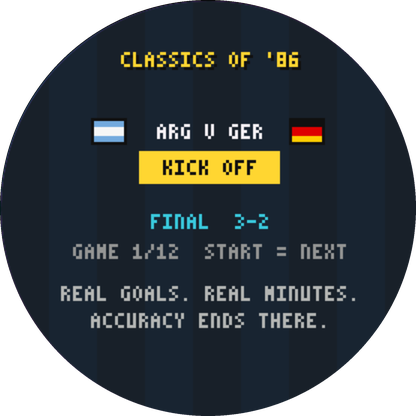
Classics of '86
Menu path: Main menu > WATCH MODE > CLASSICS OF '86 > KICK OFF
You can watch 12 real matches from 1986. The first row shows the two teams. Press START on it, or tap it, to go to the next match. Under the list you see the round, the real result and which match it is, for example GAME 1/12. Choose KICK OFF to watch it.
The goals are the real goals, scored in the real minutes. Everything between the goals is made up by the watch. So it's historically accurate for about ten seconds per match.
If the real match ended with a penalty shootout, the watch doesn't play it, but the full time screen shows the real shootout score. After that, the next classic starts.
Fake a Game
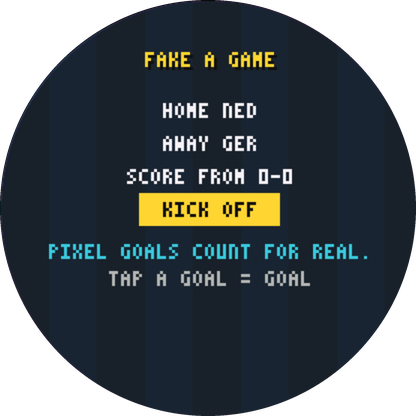
Menu path: Main menu > WATCH MODE > FAKE A GAME > KICK OFF
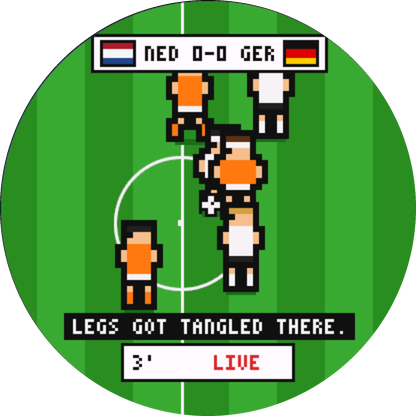
Here you decide who scores. You pick two teams, and during the match you order the goals yourself. The match gets a LIVE tag next to the clock. It isn't live, of course. Your watch can't show real soccer. But the colleague looking at your wrist doesn't know that.
| Row | What it does |
|---|---|
| HOME and AWAY | Each press picks the next team: RANDOM, then every team. A team can't play itself. |
| SCORE FROM 0-0 / SCORE FIXED | SCORE FROM 0-0: starts at 0-0 and the players score by themselves, like any match. SCORE FIXED: starts at the score you set, and only goals you order go in. |
| HOME GOALS and AWAY GOALS | Only with SCORE FIXED. Each press adds 1 to the starting score, from 0 to 9, then back to 0. |
| KICK OFF | Starts the match. This row is selected when you open the screen, and the watch remembers your last choices, so pressing START right away gives you the same match again. |
Ordering a goal
When you order a goal, a player runs to that goal and scores for real. That takes a moment, so order one goal at a time. These are the only goals in the game that go exactly where you want them. Enjoy the feeling.
| To order a goal | Do this |
|---|---|
| In the left goal | Tap the left half of the screen. A goal for the away team. |
| In the right goal | Tap the right half of the screen. A goal for the home team. |
| A goal for the home team (buttons) | Press UP, on watches that have the UP button. |
| A goal for the away team (buttons) | Press DOWN, on watches that have the DOWN button. |
Commentary
Menu path: Main menu > WATCH MODE > COMMENTARY ON (or OFF)
This row turns the commentary on or off. Press START on it or tap it. It starts turned on, and the watch remembers your choice. With commentary on, short lines of text appear above the clock during Watch Mode matches. They never appear in matches you play yourself.
I wrote all the lines. The commentator doesn't know the players' names either, so we have that in common.
The idle demo
If you do nothing in the main menu for 30 seconds, a Random Game starts by itself. Any button press, tap or swipe in the menu starts the 30 seconds again.
How to stop Watch Mode
Press any button twice within 3 seconds. After the first press the screen says PRESS AGAIN TO QUIT. The second press stops the match. It takes two presses on purpose: one press is often just you waking up the screen.
- If the match started by itself from the main menu, one tap or swipe on the screen also stops it.
- In all other Watch Mode matches, taps and swipes do nothing. The exception is Fake a Game, where a tap orders a goal.
- In Fake a Game, UP and DOWN order goals too. So use START or BACK there, twice.
After stopping you go back to where you started the match: the main menu, the Watch Mode menu, the Classics screen or the Fake a Game screen.
Last games
Menu path: Main menu > GAMES (the bottom row)
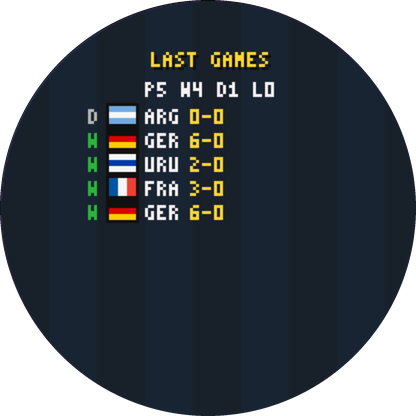
The bottom row of the main menu shows your record. For example, GAMES 12 W7 L3 means 12 matches played, 7 won and 3 lost. The other 2 were draws. There was no room on the row for the draws.
Open the row to see LAST GAMES. At the top are your totals: played (P), won (W), drawn (D) and lost (L). Under that are your last 10 matches, with the newest at the top. Each line has a W, D or L, the opponent's flag and code, and the score. If the match went to penalties, the shootout score is there too, for example PEN 4-3. Press START or BACK, or tap, to close the list.
- Only matches you finish in Quick Game, Tournament and World Championship are in the list. Drills and Watch Mode are not, and neither is a match you quit from the pause menu.
- The lighter version for older watches shows the totals but has no list. If your results look like mine, you're not missing much.