
 Get it on Connect IQ
Controls
This page tells you which button does what on your watch. I'll be honest: the controls are the worst part of the game. Reading this page won't make them better, but at least you'll know which button to be angry at.
How the game plays
Your player is the one with the yellow 1P tag. He runs by himself: toward the goal when he has the ball, and toward the ball when he doesn't. He never stops and he never asks you anything.
You only do two things. You steer him up or down, and you press one button to shoot, pass or tackle. Two things. It should be easy. You will still miss an open goal from three pixels away. I do it all the time, and I made the game.
- Look at the label above the clock. It says SHOOT when you're close enough to the goal, and PASS when you're not.
- When you pass, you become the player who gets the ball.
- When the other team has the ball, the game gives you the defender who has the best chance of stopping them. So if they score, it was technically you.
- Players get tired, even pixel ones. The bar to the right of the clock shows how tired your player is. See Stamina.
Which tab is my watch?
| Tab | Watches | How you play |
|---|---|---|
| 5 buttons | fenix, Forerunner, Enduro, Instinct, epix, MARQ and similar | With the buttons. Many of these watches also have a touch screen, and you can use that too. |
| 2 or 3 buttons | Venu, Venu 2, 3 and 4, Venu Sq, Venu X1, vivoactive 4, 5 and 6, Approach S50 and S70, and similar. | You steer by tapping the screen. START and BACK do the rest. |
| 1 button | vivoactive 3 | One button and the touch screen. Good luck. |
Not sure which one you have? Count the buttons on your watch. This is the easiest part of the whole game, so enjoy it.
5 buttons
On most of these watches, START is at the top right and BACK is at the bottom right. LIGHT, UP and DOWN are on the left, from top to bottom. The game uses all five of them.
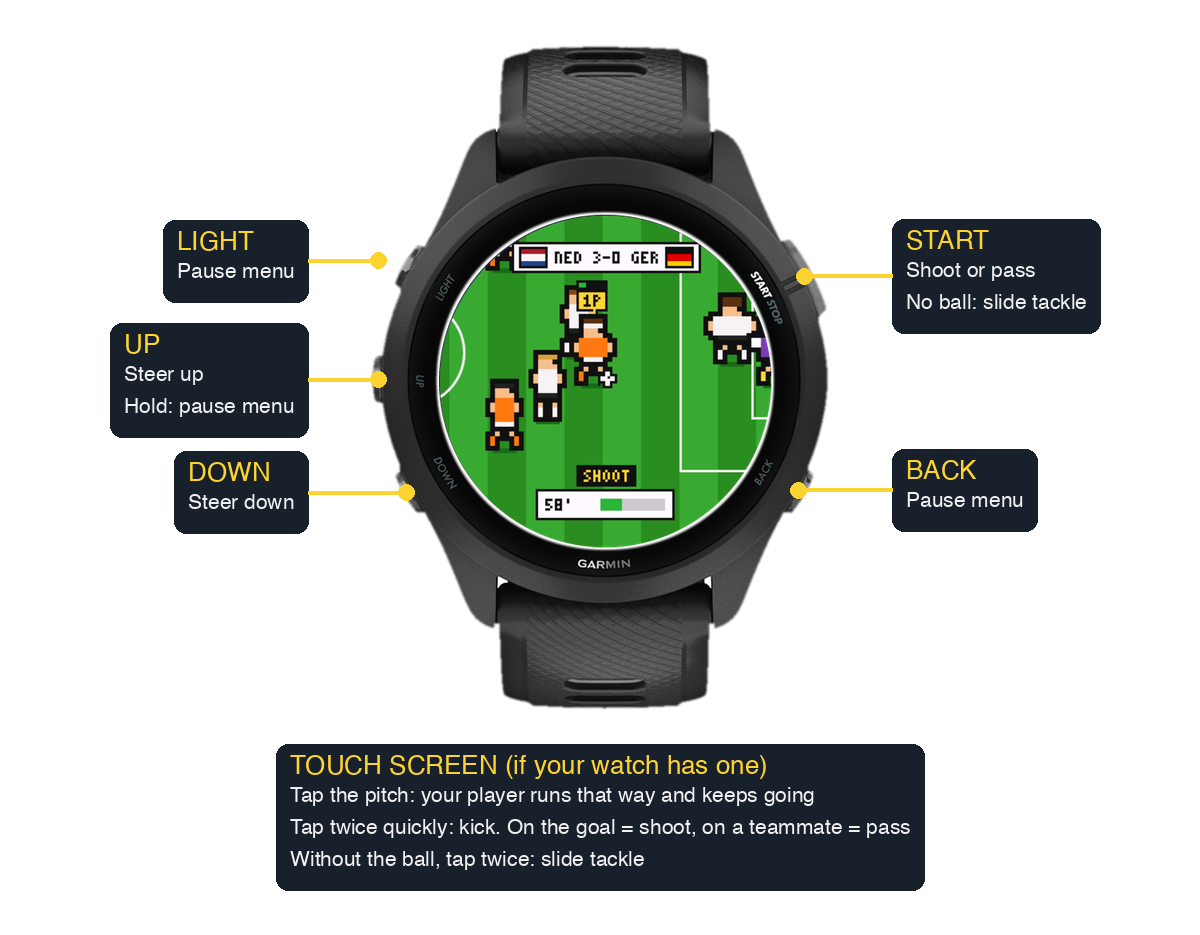
In a match, with the buttons
| Button | What it does |
|---|---|
| START | With the ball, near the goal (label SHOOT): shoot. With the ball, further out (label PASS): pass to the best-placed teammate. Without the ball: slide tackle. |
| UP / DOWN | Steer up or down. A tap is a small move, hold to keep turning. Hold one as you shoot to aim at the top or bottom corner. |
| BACK | Opens the pause menu. |
| LIGHT, or hold UP | Also open the pause menu. LIGHT (upper left) only works if your watch passes it to apps. |
So START does three different things, depending on where you are and who has the ball. The label above the clock tells you what it will do next. You'll still press it at the wrong moment and slide tackle nobody. When that happens, pretend you meant it.
In a match, with the touch screen
If your watch has a touch screen, you can also tap. Many watches with 5 buttons don't have one: the fenix 5 and 6, the Forerunner 55, 245, 255, 645, 745, 935 and 945, the first Enduro and MARQ, and the Instinct 3 Solar and Instinct E. They play with the buttons only. That's fine. The buttons are the better way to play anyway. Not good, but better.
| Touch | What it does |
|---|---|
| Tap the pitch once | Your player runs that way until you tap again, press UP or DOWN, or he hits the edge of the pitch. |
| Tap twice, quickly | On or near the goal: shoot there. On a teammate: pass to him. Anywhere else: same as START. Without the ball: slide tackle. |
Penalty shootout
| When | What to do |
|---|---|
| You shoot | Press START (or tap) as the yellow marker sweeps across the goal. |
| You keep | You have 3 seconds. UP dives up, START stays in the middle, DOWN dives down. Or tap above the goal (up), level with it (stay) or below it (down). |
Pause menu
| Button or touch | What it does |
|---|---|
| UP / DOWN | Move the highlight. |
| START | Choose the highlighted row. |
| BACK | Resume the match. |
| Tap a row | Choose that row. |
| Swipe up or down | Move the highlight. |
| Swipe right | Resume the match. |
Menus and result screens
| Button or touch | What it does |
|---|---|
| UP / DOWN | Move through the list. |
| START | Choose. On a match result screen: continue. After a drill: play again. |
| BACK | Go back. On the main menu: close the game. After a drill: back to the Training menu. |
| Tap a row | Choose it. On a result screen, same as START. |
| Swipe up or down | Move through the list. |
| Swipe right | Go back, in a menu. On a result screen a swipe does nothing. |
When a result screen appears, the buttons do nothing for a moment. That's on purpose. You were probably still hammering START when the match ended, and I didn't want that to skip the score. You worked hard for that 0-3.
Finger Trainer without a touch screen
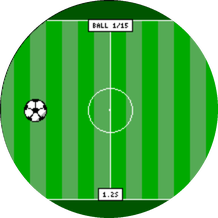
The Finger Trainer is made for tapping the screen. Without a touch screen, the ball appears next to one of four buttons, and you press that button: UP (left, middle), DOWN (left, bottom), START (right, top) or BACK (right, bottom).
BACK is one of the four buttons here, so it doesn't pause the game. To pause, press LIGHT or hold UP. And yes, on these watches it should be called the Button Trainer. I thought of that too late.
2 or 3 buttons
Some of these watches have 2 buttons and some have 3. The game uses the same two on all of them: START at the top right and BACK at the bottom right. If your watch has a third button, you don't need it for the game.
There is no UP or DOWN, so you steer by tapping the screen. That means your finger is covering the game while you play it. Some people say that's an improvement.
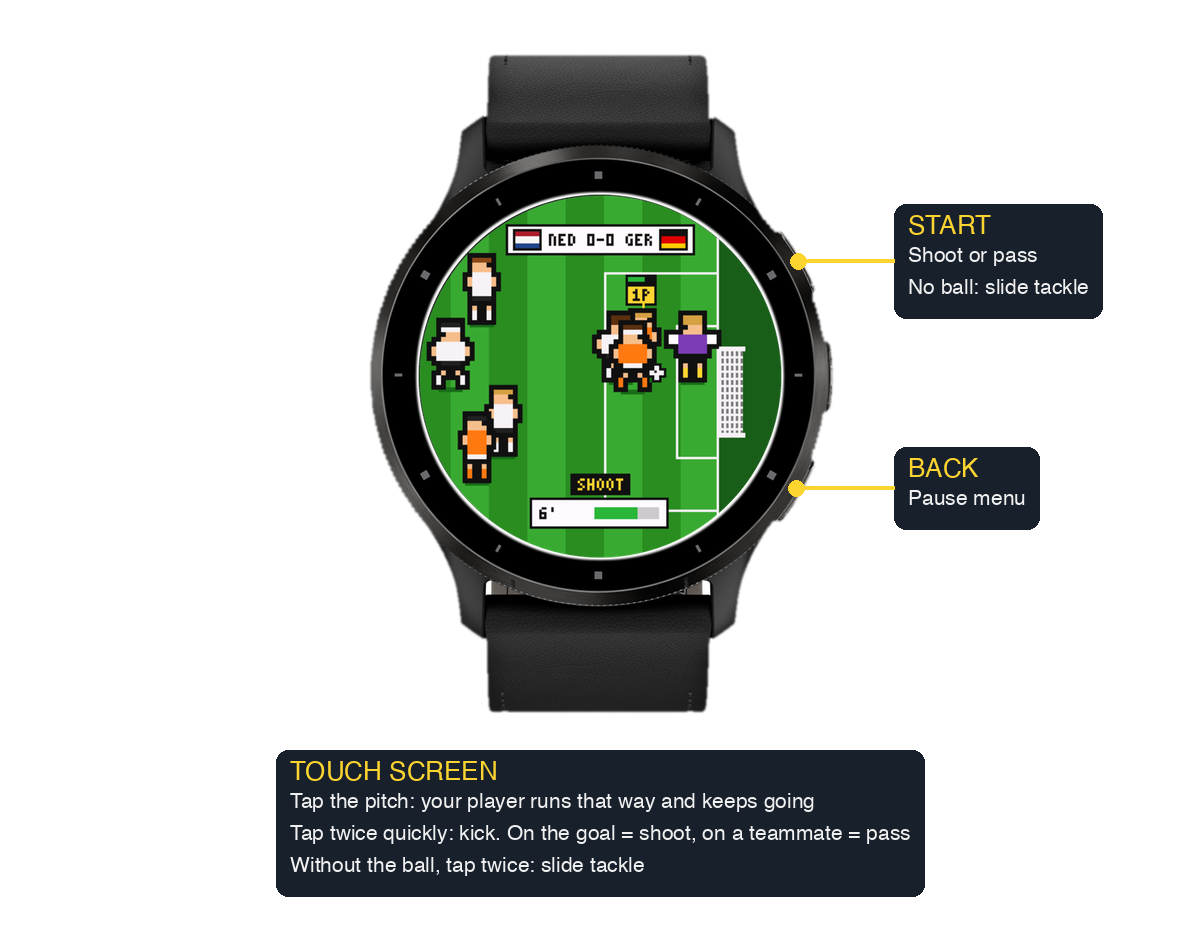
In a match
| Button or touch | What it does |
|---|---|
| START | With the ball, near the goal (label SHOOT): shoot. With the ball, further out (label PASS): pass to the best-placed teammate. Without the ball: slide tackle. |
| BACK | Opens the pause menu, pressed or held. |
| Tap the pitch once | This is how you steer. Your player runs that way until you tap again or he hits the edge of the pitch. |
| Tap twice, quickly | On or near the goal: shoot there. On a teammate: pass to him. Anywhere else: same as START. Without the ball: slide tackle. |
A teammate is a few pixels wide and he's running. Tapping him twice, quickly, is harder than it sounds. If you can't do it, press START to pass. The game picks a teammate for you, and it usually picks better than you would.
Penalty shootout
| When | What to do |
|---|---|
| You shoot | Tap, or press START, as the yellow marker sweeps across the goal. |
| You keep | You have 3 seconds. Tap above the goal (dive up), level with it (stay) or below it (dive down). Swiping up or down works too, and START stays in the middle. |
Pause menu
| Button or touch | What it does |
|---|---|
| Tap a row | Choose that row. |
| Swipe up or down | Move the highlight. |
| START | Choose the highlighted row. |
| BACK, or swipe right | Resume the match. |
Menus and result screens
| Button or touch | What it does |
|---|---|
| Tap a row | Choose that row. |
| Swipe up or down | Move through the list. |
| START | Choose. On a match result screen: continue. After a drill: play again. |
| Swipe right, or BACK | Go back. On the main menu, BACK closes the game. After a drill, BACK goes to the Training menu. On a result screen a swipe does nothing. |
| Tap on a result screen | Same as START. |
When a result screen appears, taps and buttons do nothing for a moment. That's on purpose. Everybody taps like mad in the last seconds of a match, and I didn't want that to skip the score.
Finger Trainer
In the Finger Trainer, a ball appears and you tap it as fast as you can. That's all. It's the one part of the game where the controls work perfectly.
1 button
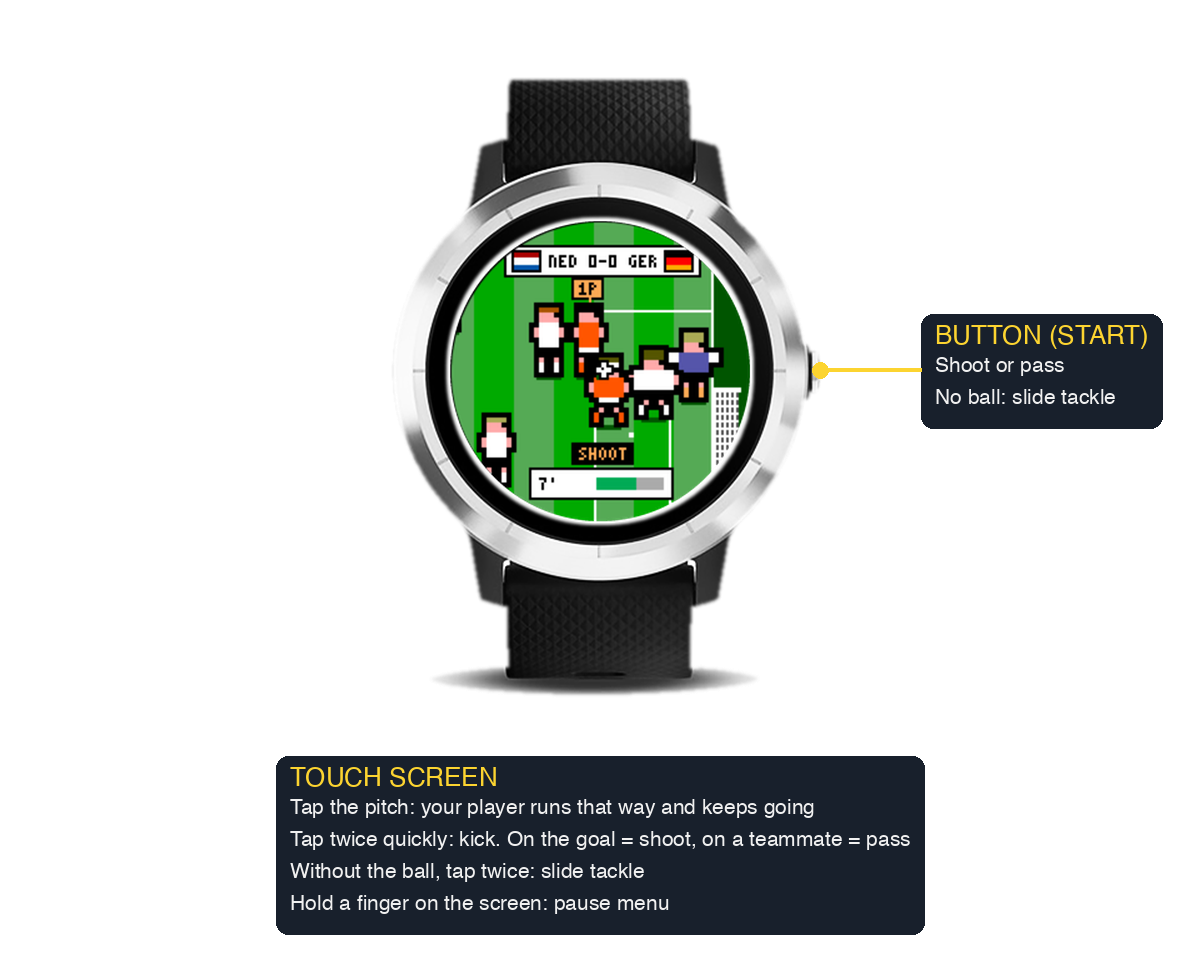
The vivoactive 3 has one button. In the game, that button is START. Everything else is done on the touch screen. There is no BACK button, so in the menus you swipe right to go back.
A soccer game on a watch with one button. I didn't expect that to work. I'm still not sure it does, but it runs. This watch gets the lighter version of the game.
In a match
| Button or touch | What it does |
|---|---|
| START | With the ball, near the goal (label SHOOT): shoot. With the ball, further out (label PASS): pass to the best-placed teammate. Without the ball: slide tackle. |
| Tap the pitch once | This is how you steer. Your player runs that way until you tap again or he hits the edge of the pitch. |
| Tap twice, quickly | On or near the goal: shoot there. On a teammate: pass to him. Anywhere else: same as START. Without the ball: slide tackle. |
| Hold a finger on the screen | Opens the pause menu. Swipes do nothing during play. |
Penalty shootout
| When | What to do |
|---|---|
| You shoot | Tap, or press START, as the yellow marker sweeps across the goal. |
| You keep | You have 3 seconds. Tap above the goal (dive up), level with it (stay) or below it (dive down). Swiping up or down works too, and START stays in the middle. |
Pause menu
| Button or touch | What it does |
|---|---|
| Tap a row | Choose that row. |
| Swipe up or down | Move the highlight. |
| START | Choose the highlighted row. |
| Swipe right | Resume the match. |
Menus and result screens
| Button or touch | What it does |
|---|---|
| Tap a row | Choose that row. |
| Swipe up or down | Move through the list. |
| START | Choose. On a match result screen: continue. After a drill: play again. |
| Swipe right | Go back, in a menu. On a result screen a swipe does nothing. |
| Tap on a result screen | Same as START. |
When a result screen appears, taps do nothing for a moment, so you don't skip the score by accident. After a drill, press START or tap to play the drill again. To go back to the Training menu, hold a finger on the screen.
Finger Trainer
In the Finger Trainer, a ball appears and you tap it as fast as you can. After playing a whole match by touch on this watch, your finger is ready for it.