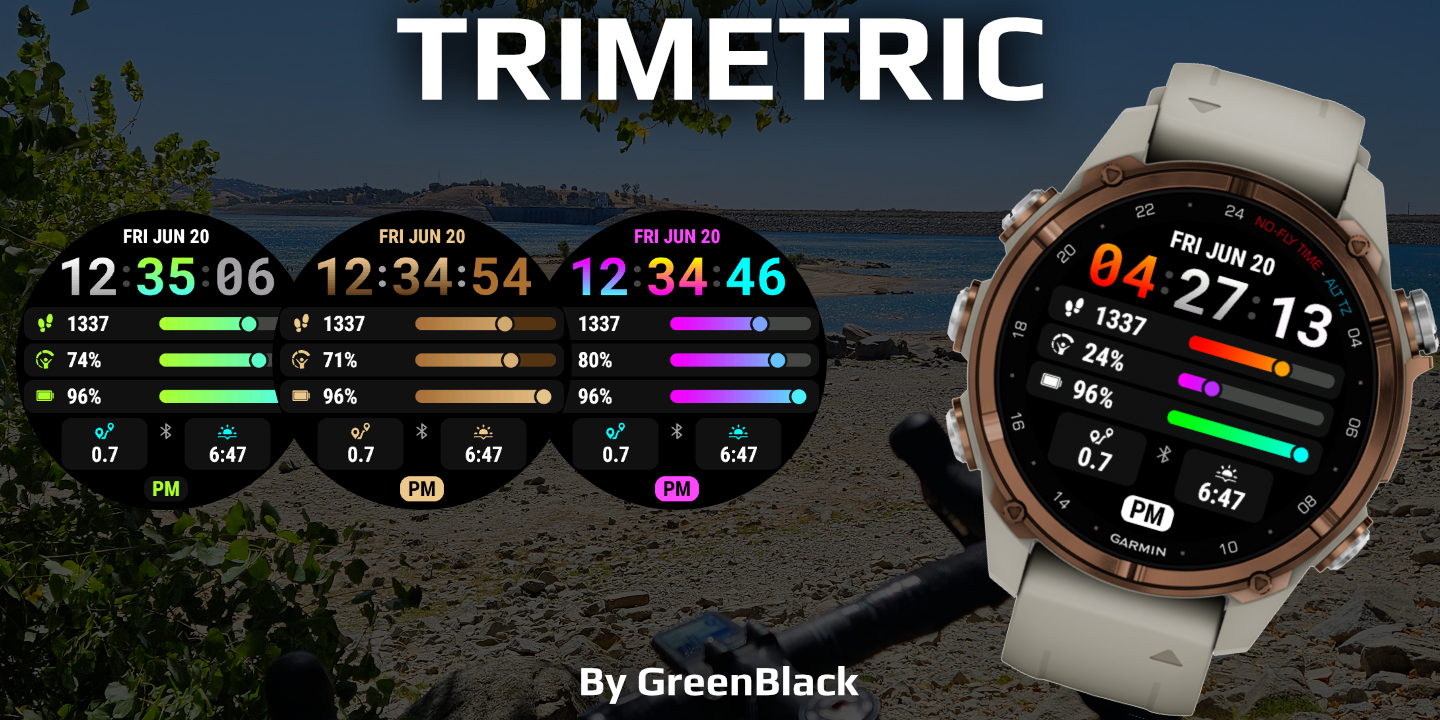
Trimetric
Download
Buy - $3.99
Purchase Watchface - $3.99
Trimetric - Changelog
Version 26.11.13
Added support for Fenix 9 Pro 51mm, Enduro 4, Approach S72 and MARQ 3
Weather can now come from the OWM Weather GB or YR Weather GB app (new Weather Source setting), no API key needed
Tides now come from the Tides GB app, StormGlass and its API key are removed. Added next tide markers
Added CGM+ GB last update time datafield
Alternative timezones can be set by city, with automatic daylight saving time
Added 24h markers for sunrise, sunset and next sun event
Wind directions are translated
Sport goals can be set up to 99999
Stress, body battery, SpO2 and other sensor fields keep showing the last measured value instead of "--"
Wind speed unit "Use Device Settings" now follows the device distance unit
Pressure unit "mb" is now shown as "hPa"
Fixed "Last Activity" location override
Distance touch shortcut opens the steps glance
Less battery usage when OpenWeatherMap cannot be reached
MIP watches (Enduro, Fenix Solar, FR255...): faster start and faster after changing Settings
Version 26.08.30
Added most Fenix 9 devices as supported
Added OWM weather description Short to the options
Version 26.08.13
Added support for OWM One call api 4.0
Updated moon icons for better visibility on MIP
Added Event countdown
Added Sleep Score for supported devices
Updated icon for Hydration apps
Added fr170 and fr70
Version 26.05.04
Fixed stormglass crash when data is incorrect
Fixed an issue with sunset/rise showing wrong times after midnight. Thank you Jerome for your report!
Changed touch shortcut for stormclass from calendar to weather (not possible to link to the tides app :( )
Set notifications to check every second instead of "fast updating cache time"
Added Stress goals (edit the goal in the on-watch settings)
Added "Use Custom Time Format" as options for datafield time fields timeformat to be able to use 24h/12h for datafields
Fix for sport duration and distance (Thank you Jerry for reporting!)
OWM optimisations and ensuring it keeps updating
Added Alternative timezone options for DST/Standard time
Fix for ISO week number being off sometimes
Added Calendar week number (use %V in custom date, or pick the option in the settings)
Fixed sunset/ event/ dusk, dawn being off by a few minutes in some cases
Fix for time to next sun event not being in sync with next sun event
Fixed wording for sun events to use more commonly used words
Added Marker for Time until next sun event, showing how far the current event is
Fixed weather update time marker showing wrong time
Added Sport 1 number of activities datafields for 7 day, week, today, 30 day and Month
When time to recovery gets below 1 hour and the device support it, it will show in 00:MM format instead of 1
Fix for swim distance issues. Make sure to set the correct swim distance unit in the on-watch watchface settings
Added KM as swim distance unit
Version 26.01.16
Added StormGlass.io Tides and water temperature, see here: https://watchface.io/docs/stormglass-io
Added Location override to override your location see here for a tool to look up your location: https://watchface.io/docs/location-lookup
Added Workout time datafields (Sport 1 and Sport 2)
Fixed some small issues with graphs and datafields
Addded support for Quatix 8 Pro and Mach 2
Added checkbox to show bars in a single color based on progress.
Version 25.10.16
Fixed scoutglance showing wrong arrow when out of range
Fix for recovery time showing in minute and progress not calculating correctly
Fixed crash on fr255
Minor other bugfixes
Version 25.10.11
Added translations in 32 languages
Added suppport for Venu 4 and Fenix 8 Pro
Restored Time to Recovery data for Venu2/3 devices and others that stopped working
Added Current hr + average datafield
Added NightscoutGlance and QuoteGlance (Crypto+stocks) fields
Added notification icon that hides when there are no notifiations
Fix for swim distance. If it still shows wrong for you, open the on-watch settings, and change the units for swim distance
Swapped MPH and M/S for wind units. New users will have either mph or kph as default based on their distance settings. You can change the units in the on-watch settings
General bugfixes
 Free Version