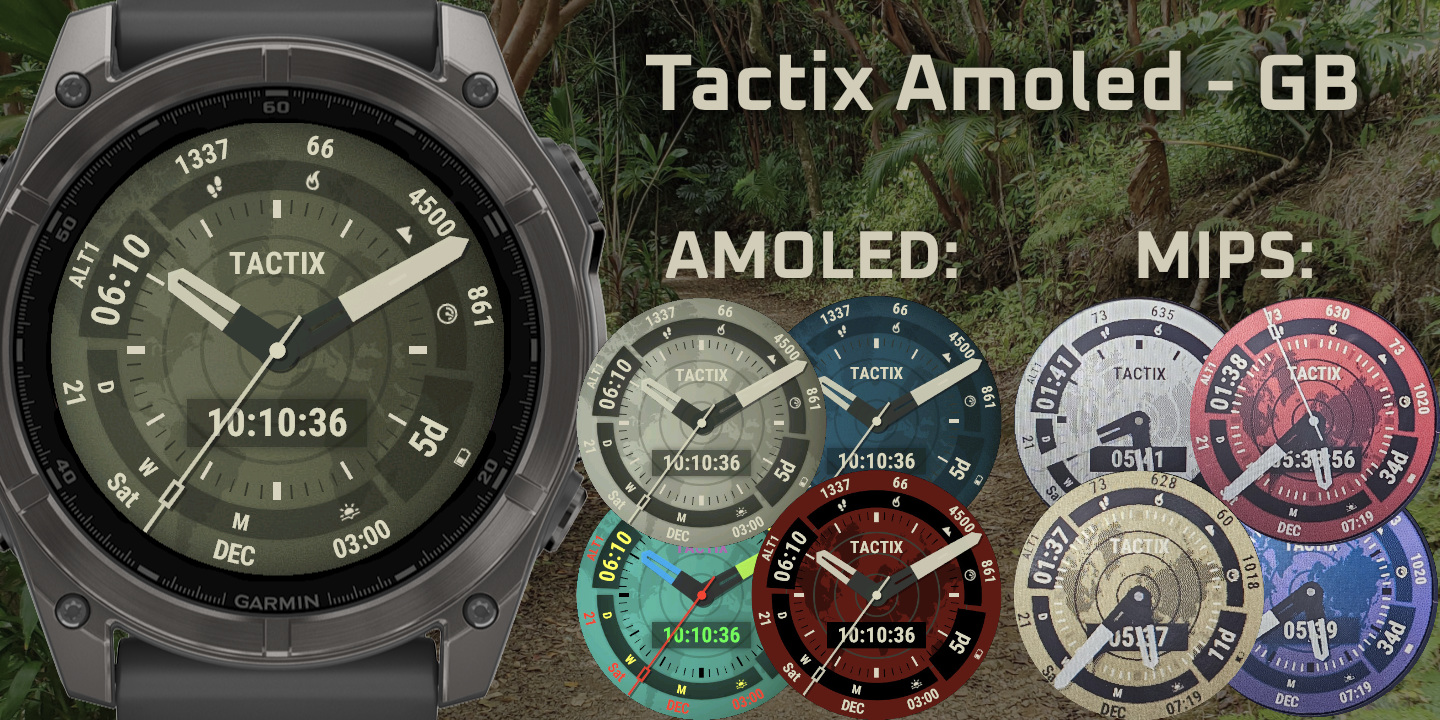
Tactix Amoled
Download Options
 Free Version
Purchase Watchface - $4.99






Tactix Amoled Manual
Military-inspired watchface with extensive customization, field positioning, and optimized themes for both AMOLED and MIP displays.
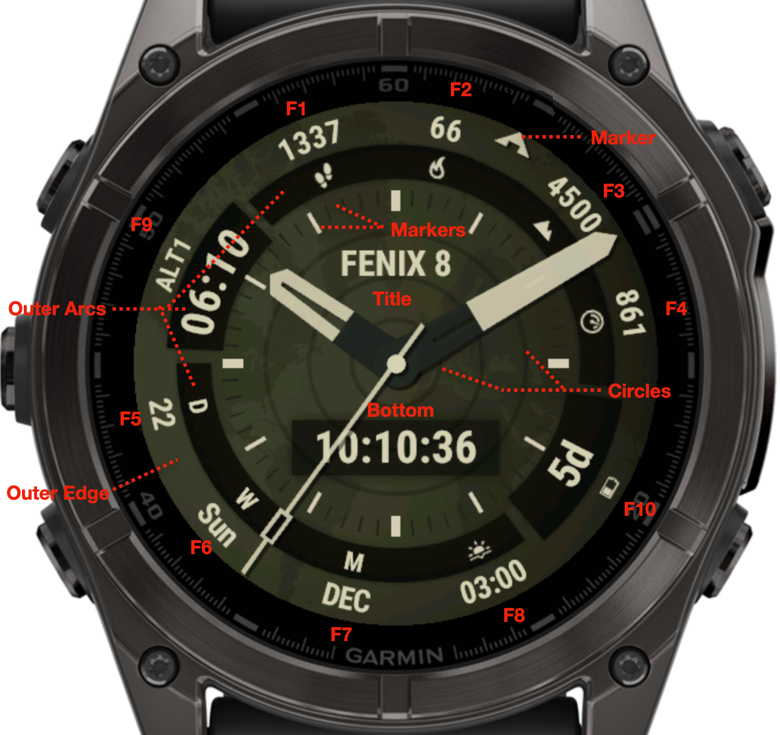
How do I identify where the fields are located?
Behind the field it tells you where on the face you can find it, like 12-1 means it is between 12 o'clock and 1 o'clock. The fields are also numbered, starting at 11 o'clock, listing the small fields first from top to bottom, then the big fields and lastly the center fields.
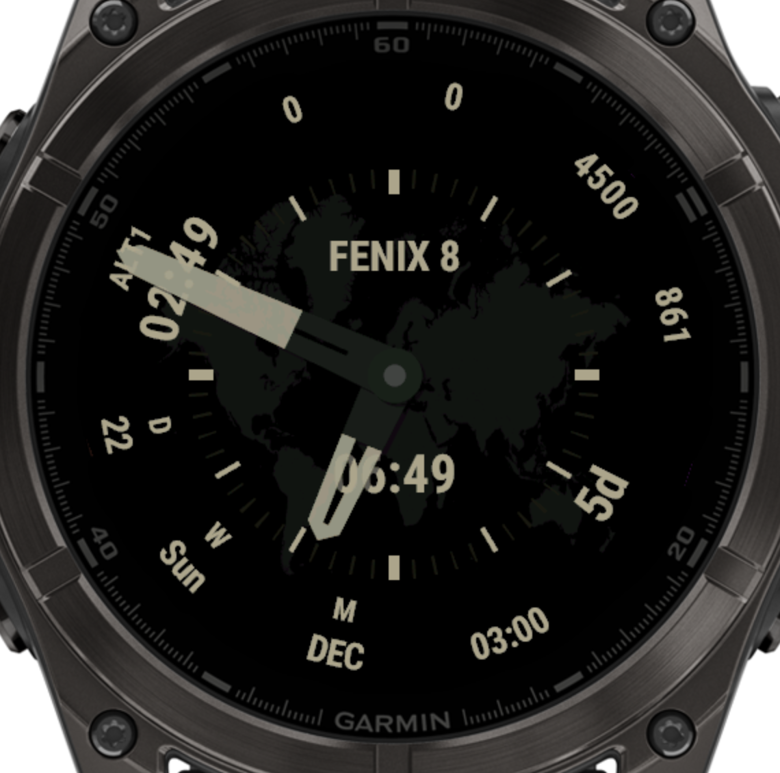
Always On Display (AOD)
Why does my AOD screen turn off?
Devices only allow a max of 10% brightness, or 10% pixels lit up in AOD mode, to prevent burn-in and battery drain. If it exceeds either of those values, the screen will turn off.
This watchface has a lot of options to go well over that limit, so in order to stop your screen from going off, there are some options:
AOD DIM
This dims your screen by the percentage you set, allowing you to stay under the 10% max brightness. But when having a white background set, this might not be enough.
Set this to "Automatic" to automatically guess the amount of dimming you need based on your background color and some settings. If it guesses it needs more than 70% DIM, it will switch to the night background, otherwise it will dim the amount it thinks it needs. I call it "guess" because with the amount of options, it can't be accurate in all cases, but this will work for most.
AOD BACKGROUND
You can set the background behavior in AOD mode. By default it goes to Night background. Take caution when setting it to "FULL", bright background colors easily go over the max 10% brightness, so set your AOD DIM accordingly.
Night Background (Default AOD mode):
My face looks totally different from the pictures?
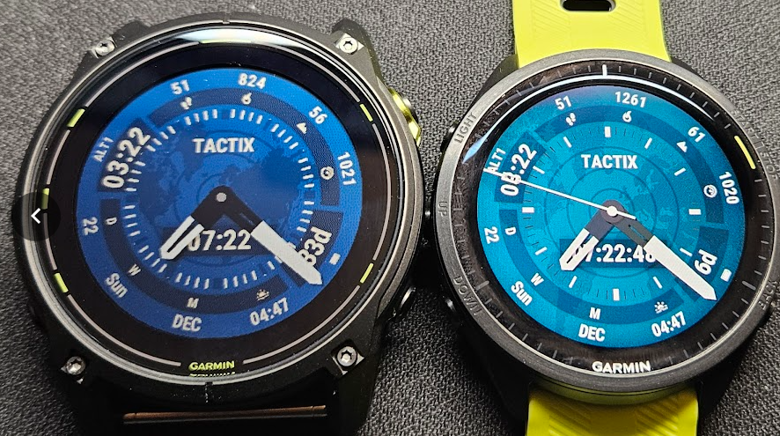
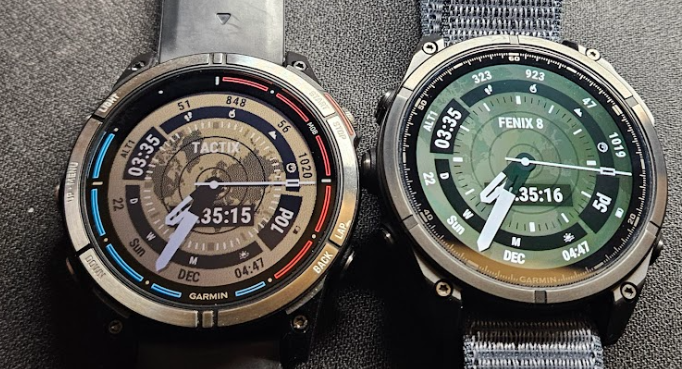
You likely have a MIP device, like a Fenix 7, Fenix 8 Solar or Enduro. Yes, make sure to check out the MIP screenshots, as MIP is not able to display all the colors needed for this face. Separate themes are available that look good on MIPS.
Left Enduro3 (MIPS), right Forerunner 965 (AMOLED), blue theme:
Left Fenix 7 Quatix, Right Fenix 8 AMOLED, default theme:
NOTE to Forerunner 165(m) users
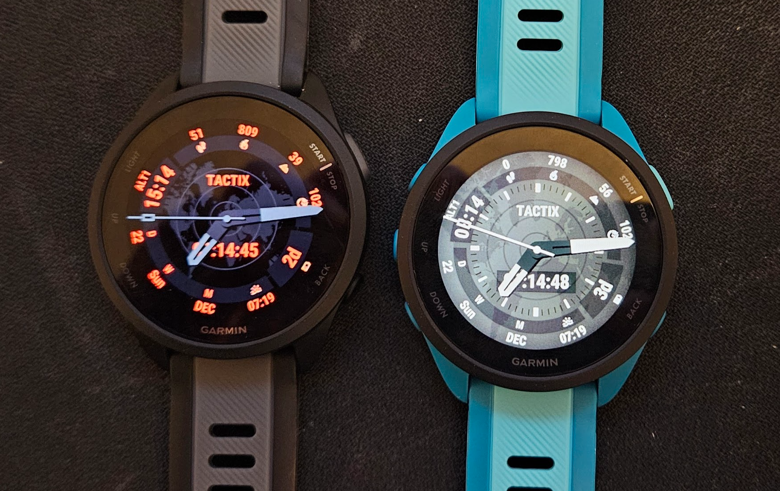
This device is not fully supported. It misses some graphical functions to be able to display the face 100% as intended. Some things might look a bit off, like icons have extra pixels, and AOD might not fully work with a full background (since the AOD dim can't work correctly on this device). Having the AOD set to use the night background, it works well enough for me to release it this way. Icons can also be replaced by labels if those extra pixels are bothersome to you.
Tactix Amoled running on FR165 and FR165m:
Supported Devices
A full list with all supported devices can be found here: Supported Devices
All devices that are capable of running this face properly are included. Venu 2 / Vivoactive 5, sorry, these devices don't support some graphical functions needed to display this face properly.